SQL Database Creator: Setup Steps That Hold Up
Learn how a SQL database creator works, when to use SQL commands instead, and how to set up tables, constraints, access and backups in 2026.
You've got an app idea sketch, a few tables in a notebook, and code that's saving to a JSON file because there's nowhere better to put it yet. That's the moment users search for an SQL database creator, and it's also where rushed choices become expensive later. Creating the database itself takes minutes. Creating one that rejects bad rows, limits who can delete what, and doesn't linger unpaid and forgotten for months takes a bit more planning, and it's worth doing on day one.
Choose How to Create Your SQL Database
Pick the creation route before you pick table names. The right route depends on who's operating the database, whether other people need shared access, and whether this data has to survive past next week.
| Method | Best for | How the database is created | What you need first |
|---|---|---|---|
| Hosted provider console | Non-developers and quick trials | Choose engine, region and size in a web form | Provider account and payment method |
| Command-line provisioning (ExtraOrbital CLI) | Developers and coding agents building a project | One command creates the database and writes connection details into the project | CLI installed and signed in |
| Local server with CREATE DATABASE | Learning and offline development | Install PostgreSQL or MySQL, then run CREATE DATABASE | Admin rights on your machine |
| Embedded file database (SQLite) | Single-app prototypes and test suites | Open a file such as app.db; the file is the database and no server runs | sqlite3 or a SQLite library |
A hosted provider console suits a quick trial because you're filling in a form, not installing anything, but you'll need an account and payment method before you see a connection string. Command-line provisioning suits developers and coding agents because the database, storage, and credentials arrive together and land in the project where the code expects them. A local server suits learning because you can break things, drop the database, and start again without a bill. SQLite suits a single-app prototype or a test suite because there's no server to run, secure, or remember to stop.
Why PostgreSQL Is the Default
If you don't have a reason to choose otherwise, I would start with PostgreSQL. In 2024, PostgreSQL was used by 49% of developers, making it the most popular database in Stack Overflow's annual Developer Survey. That popularity matters practically. Drivers, tutorials, hosted plans, error messages people have already debugged, and migration tools all tend to assume Postgres first.
Make the choice today based on lifetime, not fashion. Use local PostgreSQL for learning, a console or CLI for a shared project, and SQLite for a throwaway test. If a prototype starts holding records you'd miss, it has already outgrown the throwaway category.
Create the Database and Tables with SQL Commands
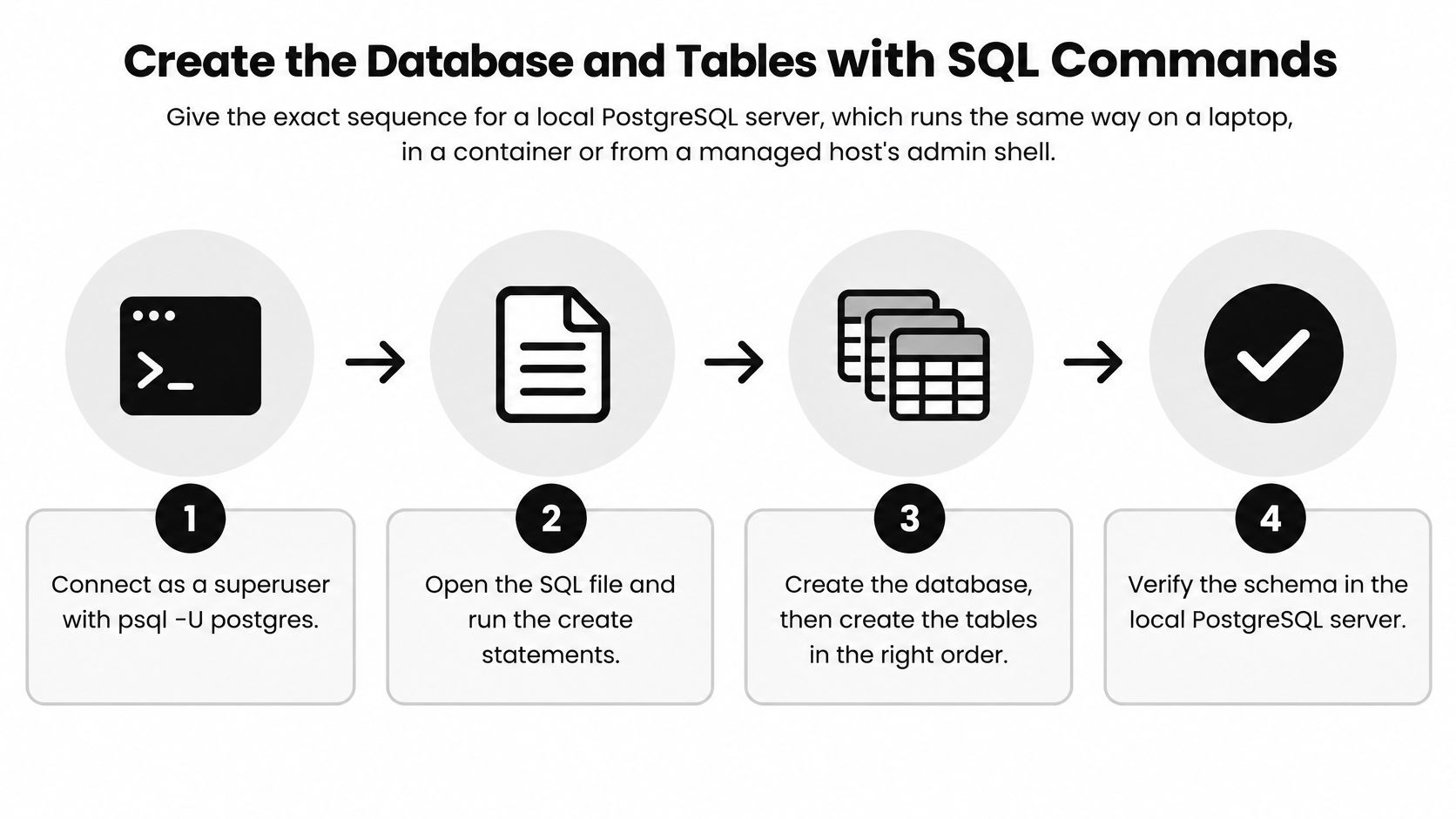
The steps below use a local PostgreSQL server. The same sequence works on a laptop, in a container, or from a managed host's admin shell, so you're learning a transferable routine rather than a vendor-specific wizard.
Connect and Create the Database
- Connect as the superuser. Run
psql -U postgresto open an admin session. You'll create the database and the app role from here, then you'll stop using this account for application work. - Create the database. Run
CREATE DATABASE shop;and keep the name lowercase and unquoted. PostgreSQL folds unquoted names to lowercase, so quoting a mixed-case name now forces you to quote it correctly in every future query. - Create the app role with a password from the environment. Start psql with
-v app_pw=$APP_DB_PASSWORD, then runCREATE ROLE app_user LOGIN PASSWORD :'app_pw';. SQL can't read environment variables itself, so psql passes the value in, and the password never sits in a committed file.
Grant Access and Create the First Table
- Grant only what the app needs. Run
GRANT CONNECT ON DATABASE shop TO app_user;, then connect to shop and grantSELECT, INSERT, UPDATE, DELETEon each table the app uses. Don't grant ownership or superuser rights to make an error go away. That shortcut removes the boundary that protects your schema. - Create the first table. For example, run
CREATE TABLE customers (id BIGSERIAL PRIMARY KEY, email TEXT NOT NULL UNIQUE, created_at TIMESTAMPTZ NOT NULL DEFAULT now());. BIGSERIAL gives you a generated numeric key, UNIQUE stops duplicate emails, and the timestamp default means application code doesn't have to remember to set it. - Confirm the table exists where you think it does. List the tables and describe customers so you can see the columns and constraints in the output. If you want a quick reference for checking what's present on a server, keep this guide on how to view all databases in Postgres nearby.
Check the prompt: The most common slip is running
CREATE TABLEwhile you're still connected to the postgres database. The statement succeeds, your table lands in the wrong place, and the app then reports that the table doesn't exist.
- Build the connection string from environment variables. Assemble host, port, database, user, and password from separate variables, then open one test connection before you write application code. Test as app_user, not as postgres, because a successful admin connection tells you nothing about the app's permissions.
Success looks specific. The table appears when you list tables in shop, app_user can insert and read a row, and that same role can't alter or drop the table. If the app role can change the schema, you haven't finished step four, no matter how smoothly the app runs.
Constraints That Keep Bad Data Out
Start from requirements, not from syntax. List the entities first, such as customers, orders, and products, then their attributes, the relationships between them, how many of each can link, and the candidate keys that identify a row. A Frontiers in Education study of database-learning outcomes identified nine persistent modeling misconceptions affecting 16% to 98% of students, which is a useful reminder that skipping this thinking is normal and costly rather than rare.
Normalize Before You Write DDL
Move repeating groups into their own table. Columns named item1, item2, and item3 are a child table waiting to happen, and they make counting or searching items needlessly awkward. Remove columns that depend on only part of a composite key, and separate values that depend on other non-key columns, such as storing a customer's city on every order row. Aim for at least Third Normal Form on transactional tables.
Then enforce the model in the table definitions. Constraints are not decoration. They're the rules your application code, import scripts, and future teammates can't accidentally bypass.
| Constraint | What it prevents | Example |
|---|---|---|
| PRIMARY KEY | Duplicate or missing row identity | customers.id is unique and never empty |
| FOREIGN KEY | Orders that point at a customer who does not exist | orders.customer_id references customers.id |
| UNIQUE | Two accounts with the same email | customers.email is unique |
| NOT NULL | Required fields left empty | orders.placed_at is NOT NULL |
| CHECK | Impossible values | orders.total_cents >= 0 |
Test the Rules You Think You Wrote
A schema that runs without errors can still be wrong. Try inserting an order that points at a missing customer and confirm the database rejects it. Then try deleting a customer who has orders and confirm the deletion behaves the way you intended, whether that's blocking the delete or removing dependent rows on purpose.
Don't treat a clean migration run as proof the schema is correct. Proof is a bad row getting rejected.
Keep those insert, update, and delete tests with the migration files. When the schema changes later, the tests tell you whether your business rules survived the change, not just whether the SQL still parses.
Index Only the Queries You Measure
Indexing every column feels thorough and performs badly. Each index makes reads through that path faster, but it also makes inserts, updates, and deletes slower because the database has to maintain one more structure on every write. Microsoft's SQL Server index design guidance warns that speculative over-indexing can slow data modifications and create concurrency problems. Treat every index as a cost you're choosing to pay for a named query.
Measure First, Then Build the Smallest Index
Start by capturing the queries that matter, the most frequent and the slowest, from database statistics or your application log. For each one, read the filter, join, and sort columns, and consider how selective they are. An index on a column with only two possible values rarely helps, while an index on a customer identifier in a large orders table often does.
Run EXPLAIN ANALYZE on the query and look for a sequential scan over a growing table. If the order history page filters by customer and sorts by date, CREATE INDEX orders_customer_placed_idx ON orders (customer_id, placed_at) covers that access path without indexing every column on the table. Column order matters here. Put the equality filter first and the sort column second.
Re-run the execution plan after you create the index and confirm the plan changed. Then run a realistic write benchmark, because a faster page load bought with slower order inserts may be a poor trade. Not every foreign key needs an index either, particularly on small lookup tables or columns you never filter or join on in a hot path.
Keep a Paper Trail for Every Index
Record four things for each index you keep:
- Target query: The exact query pattern the index serves, not a vague table name.
- Expected benefit: The plan change or timing improvement you measured.
- Removal command: The rollback migration that drops the index safely.
- Review date: A date to confirm the query still exists and still needs it.
Prioritize hot, changing tables and watch write latency, lock waits, and storage growth after release. An unused index isn't harmless. It's storage and write overhead you keep paying for a query nobody runs.
Scope Credentials for Apps and Coding Agents
Every app, script, and coding agent that touches your database is an operator. Give each one its own role instead of handing out copies of your personal login, because separate roles let you limit damage, revoke one actor without breaking the others, and trace a change back to a specific credential.
This is not theoretical caution. A Forkbench review of coding agent database incidents describes five agent-related incidents across twelve months, including three production-database deletions, with long-lived, broad-scope credentials recurring as the failure mode. Broad access turns an ordinary mistake into a production incident.
One Role Per Workload
Create roles around jobs, not people or tools:
- Application role: Reads and writes only the tables the running app needs, with no rights to alter the schema.
- Reporting role: Holds SELECT only, so a dashboard or export job can't modify records even if its code is wrong.
- Migration role: Changes the schema during deploys only, and stays unused the rest of the time.
Keep development, staging, and production in different databases with different credentials. An agent working on a feature gets the development credential and nothing else. If you're issuing credentials for separate tools, use a proper generator rather than inventing passwords by hand, such as a tool to generate a secret key.
Make Destructive Actions Hard to Do by Accident
Give temporary roles an expiry with VALID UNTIL, and revoke a finished project's login with ALTER ROLE ... NOLOGIN as soon as the work ends. Put a human approval gate in front of DROP, TRUNCATE, and DELETE without a WHERE clause. The migration should wait for a person, not race ahead because an agent decided a table looked unused.
A prompt that says "do not touch production" is a request, not a control. If the credential can reach production, production is reachable.
Write the role name that ran each change into an audit log, and store that log where the agent's own role can't edit it. Rotate passwords on a schedule, and rotate immediately when a machine is retired or a team member leaves. Restrictive defaults feel slower for an afternoon. They're much faster than restoring a database.
Plan Backups and the End of a Prototype's Life
Write the end-of-life policy before you create anything. A DevOps.com account of agent-driven database loss describes a failure that reportedly removed 2.5 years of records and automated snapshots after an incorrect infrastructure-destruction command. Backups stored under the same access as the thing they protect can disappear in the same minute.
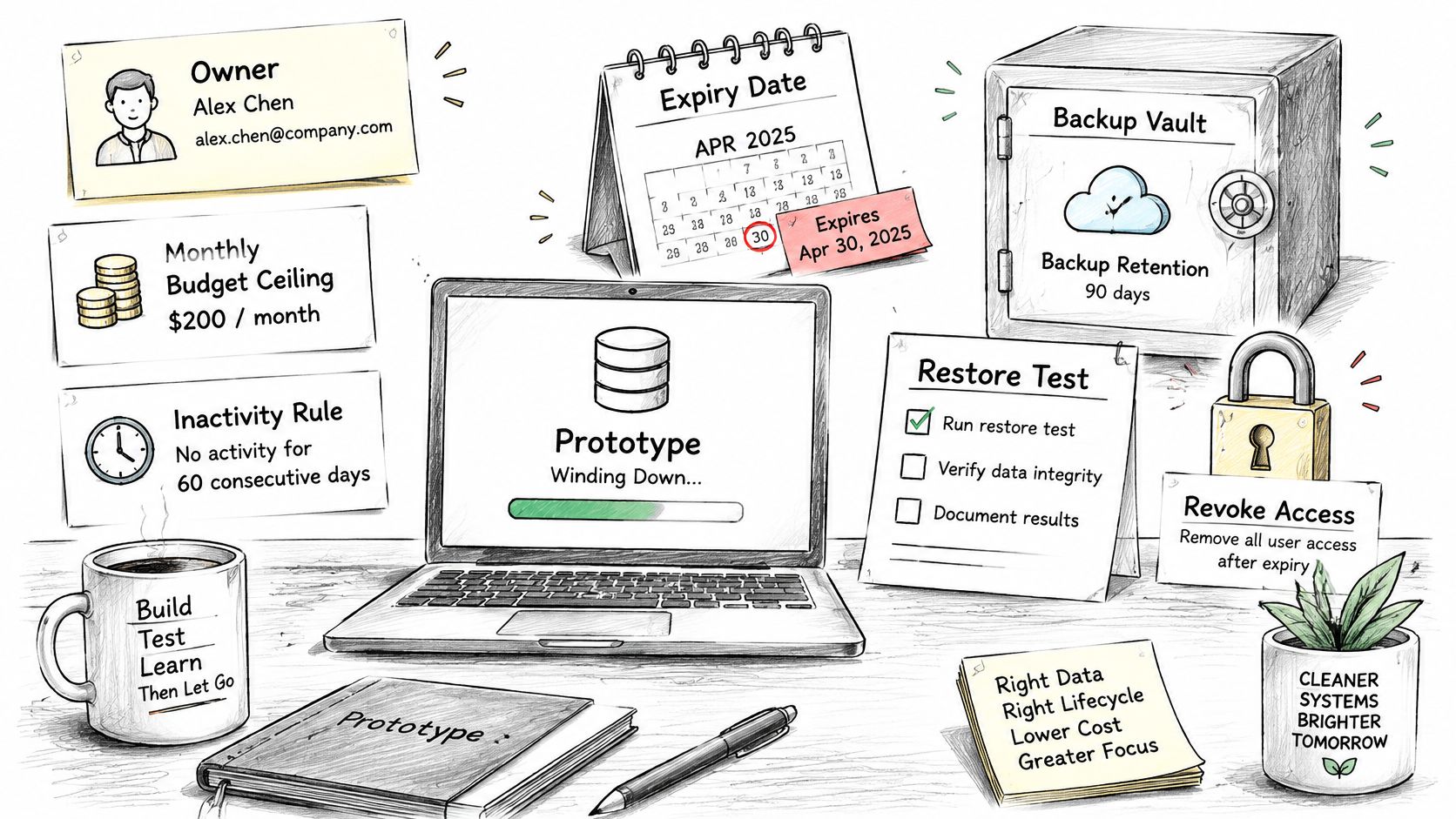
Your policy needs seven plain items. Name the owner, set a monthly budget ceiling, define an inactivity rule, set an expiry date, state backup retention, schedule a restore test, and write down the step that revokes credentials. If no one can say who owns a database, no one will notice when it should have been deleted.
Back Up Separately and Prove the Restore
Keep backups outside the database's own access boundary. A logical dump with pg_dump -Fc shop > shop.dump gives you a portable file you can store elsewhere, and a checksum such as sha256sum shop.dump confirms the file wasn't corrupted in transit. Keep retention independent too, so deleting the instance doesn't quietly delete its only recoverable copy.
The walkthrough below shows the restore thinking in practice, and it's worth practicing before you need it for real.
Test by restoring into a scratch database with pg_restore, then compare row counts for your large tables against production. Only after a successful restore should you drop an abandoned prototype. Keep the final dump for a fixed period, then delete it too, and revoke the credentials at the same time so nothing still points at a resource that's gone.
The cheapest option usually needs the most discipline. A forgotten instance can keep accruing usage, and a credential that never expires stays valid long after the project is dead. If you're comparing low-cost starting points, weigh those lifecycle controls alongside price when you look at a free database in the cloud. Use automatic deletion for disposable test databases. Make any database holding real records permanent, with independent retention and restores you've performed.
Confirm Readiness and Pick Your Next Step
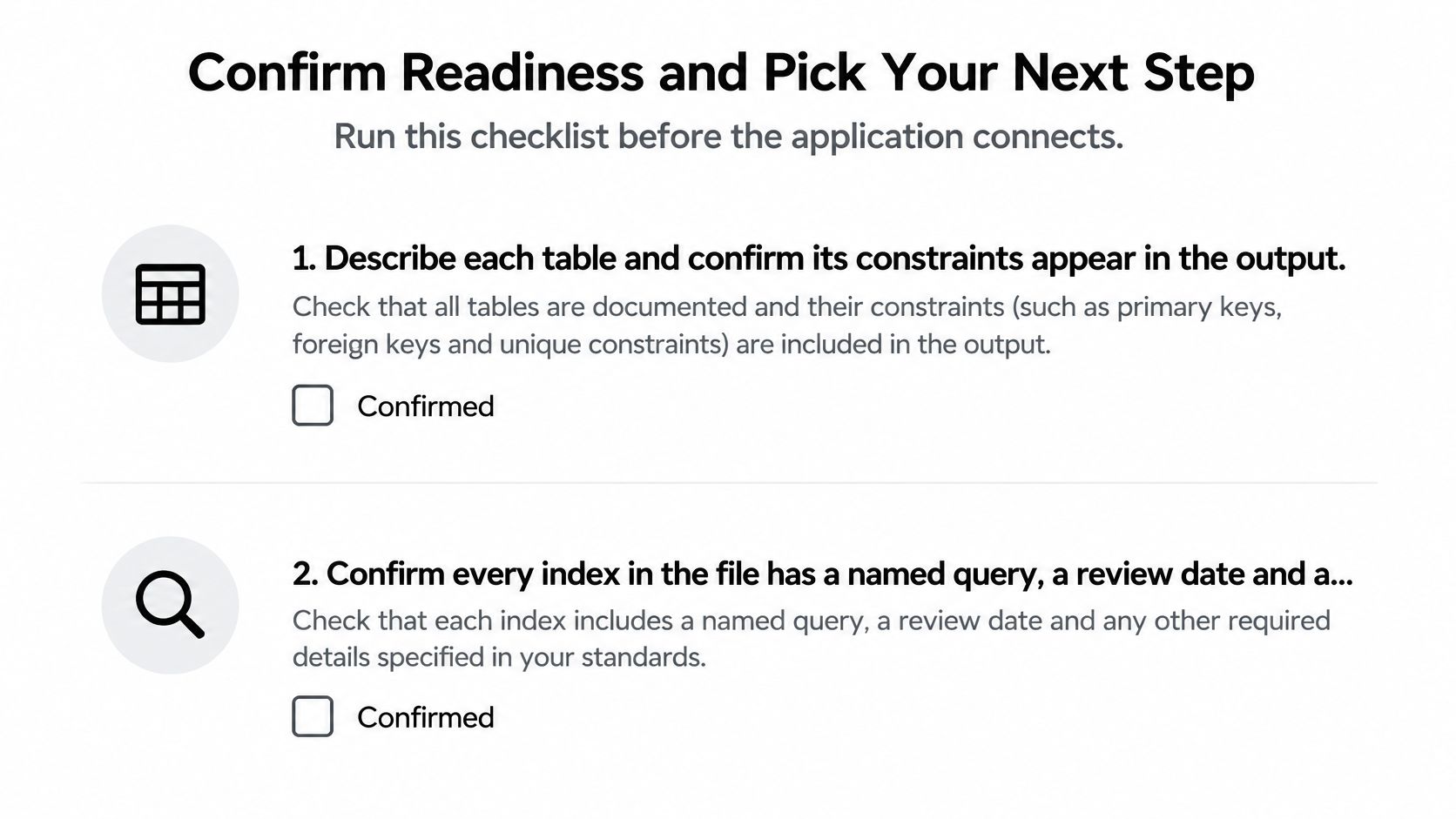
Run this checklist before the application connects for real. It takes an hour at most, and it catches exactly the problems that otherwise surface at 2 a.m. as permission errors, missing constraints, or a backup that won't restore.
The Five Readiness Checks
- Describe each table and confirm its primary keys, foreign keys, unique rules, and check constraints appear in the output. If a rule is only in your notes, it doesn't exist.
- Audit every index and confirm it has a named query, a measured benefit, a review date, and a removal command. Drop anything you can't justify with a query.
- Verify the roles and confirm the app, reporting, and migration roles hold only the rights in your access plan. Confirm the production password comes from an environment variable, not a committed file.
- Confirm the backup story by checking that a backup exists, that you've restored it once into a scratch database, and that the owner and expiry date are written down in the project.
- Run one read and one write through the app's environment-based connection string against a test row. Use the app role for this test, because that's the identity production will use.
Readiness rule: If you can't restore it, can't say who owns it, or can't list who can delete from it, it isn't ready.
Choose Your Route From Here
For a prototype or shared project where the database, storage, and credentials should be created together, command-line provisioning is the low-friction route. ExtraOrbital provisions databases, AI, storage and auth for a project with one command, and no accounts need to be created, then saves the connection details in the customer's project. That removes the separate provider account step that slows down both developers and coding agents.
Use a development instance while you're building, and move real records to a plan with backups before launch. Free is for building, not production, since it has no backups and no uptime guarantee. That's a fair trade while you're experimenting, but it stops being fair the day a customer depends on the data.
Do one concrete thing this week. Run the five checks against your newest database and record the answers in the project, including the owner, the expiry date, and the date you last restored a backup. A database you can describe in those terms is an operational asset. One you can't is a liability with a connection string.
When you're ready to create a database without juggling separate provider accounts, visit ExtraOrbital to provision Postgres alongside storage, auth, and API credentials from one command, with the connection details written straight into your project. Build on the free tier while you prototype, then move to a backed-up plan before real records depend on it.