Free Database Cloud: Limits, Costs and Backups Explained
Compare free database cloud options, their storage and compute limits, hidden billing traps and backup rules, and how to choose one safely in 2026.
You've got an app running locally, your coding agent needs a database, and a free cloud plan looks like the fastest way to keep building. You create the project, copy the connection string, and move on. The uncomfortable questions usually arrive later: why did the demo pause, what happens when writes exceed the allowance, and can you recover anything after an accidental deletion?
Choosing a free database cloud service means choosing more than a storage quota. You're choosing what happens while the database runs, while it sits unused, when you copy its data, and when you leave. Treat those as engineering decisions before the prototype starts holding anything you can't recreate.
Free Database Cloud Options at a Glance
Free database cloud tiers compared
| Service | Free storage | Compute, throughput or idle rule | Backups on the free tier |
|---|---|---|---|
| Supabase Postgres | 500 MB per project | 0.5 GB RAM; pauses after seven days of inactivity | Not established by the comparison |
| Neon Postgres | Up to 1 GB per project | 100 compute-unit hours per month; scales to zero after about five idle minutes | Not established by the comparison |
| Azure SQL Database | 32 GB data per database | 100,000 vCore-seconds per month | 32 GB backup storage per database |
| Azure Cosmos DB | 25 GB | 1,000 request units per second | Not established by the comparison |
| DynamoDB | 25 GB | 25 read and 25 write capacity units in each region | Not established by the comparison |
| Firestore | 1 GiB stored data | 50,000 reads, 20,000 writes and 20,000 deletes per day; 10 GiB monthly outbound transfer | Backups, restores, clones and point-in-time recovery excluded from free usage |
These are reported allowances, not a guarantee of current eligibility. Read them alongside the service's current offer, billing-account requirements, and regional rules before provisioning. An unestablished backup allowance means you shouldn't assume recovery is included.
Read across the row, not down the storage column
The Postgres rows show the basic reading pattern: identify the storage ceiling, then the compute or inactivity rule, then the recovery provision. A database can have enough disk space for your application but still be unsuitable for a demo that must respond immediately after sitting unused.
The meters also measure different things. Cosmos DB measures request units, DynamoDB uses read and write capacity units, and Azure SQL measures compute consumption in vCore-seconds. You can't rank those services by comparing their headline numbers as though they were interchangeable traffic allowances.
Choose the data model first. A relational application with joins and transactions has different needs from a key-value cache or a document-backed mobile app. Our guide to free database apps offers another starting point for comparing application fit.
Separate license savings from operating costs
The economic distinction matters more than market-size rankings: The Register's reporting on open-source database adoption describes how organizations can avoid proprietary database licensing while still spending on cloud infrastructure and management. A free engine doesn't make the surrounding service costless.
None of these rows, by itself, establishes production readiness: evaluate limit behavior, the bill after stopping, and the ability to restore before relying on any offer.
What Free Means in a Cloud Database
A free engine still needs fuel, insurance, parking, and maintenance before you have a usable car. Cloud databases work similarly: the software is only part of what someone must operate and pay for.
Software license comes first. With an open-source engine such as PostgreSQL, you don't pay a proprietary engine license fee, but whoever deploys it still pays for the resources and work needed to run it. The PostgreSQL project history explains its origins as a university research system and its transition into a community-developed database, rather than a product created solely for a commercial hosting subscription.
Infrastructure usage comes next. The provider supplies processor capacity, memory, disks, and networking; you pay when your usage falls outside the applicable free allowance or enters a billable service configuration.
The layers are easier to distinguish visually.
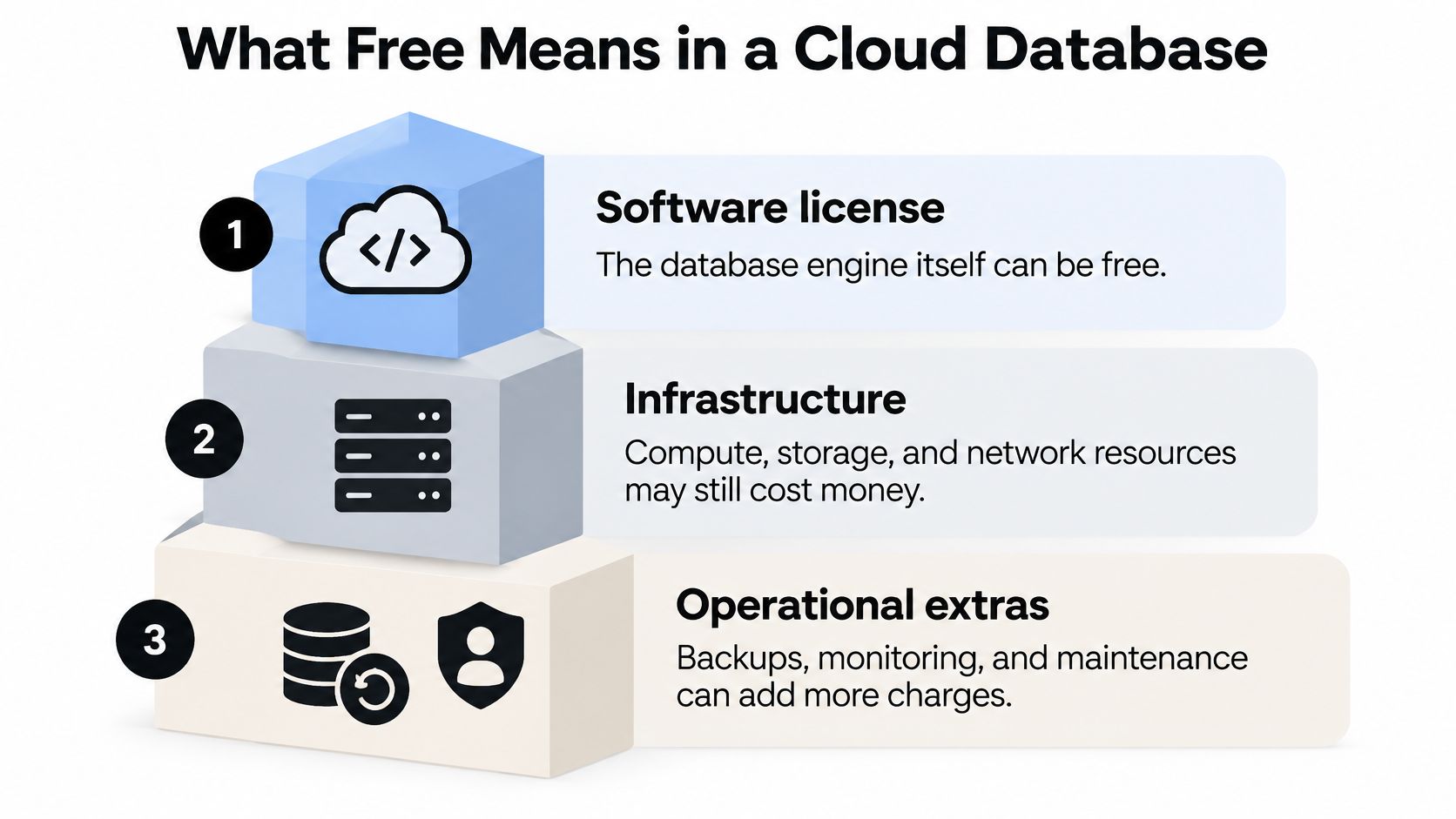
The database process isn't the whole project
Lifecycle artifacts form the remaining layer. Backups, snapshots, replicas, and retained logs can exist separately from the running database, so the account owner may pay for them even after application traffic stops.
For example, stopping a development server doesn't necessarily remove the database's disks. Deleting an application deployment doesn't necessarily delete its database, either. Treat the application, database, and retained copies as separate resources until you've verified how the platform groups them.
Practical rule: Free software, a free usage allowance, and a free trial are different offers. Identify which one you're accepting.
A provider may advertise free software, bounded hosted usage, or temporary credits. None of those descriptions alone answers what happens after you stop working.
Apply this short check to any offer page:
- Idle cost: What am I charged for when the database sits unused?
- Retained resources: What remains when I back it up, pause it, or delete it?
- Exit cost: What do I pay to export the data or move it elsewhere?
If you can't answer those questions, you haven't yet established the cost of the database's full lifecycle.
Free Tier Limits That Decide Your Workload
Free PostgreSQL hosting generally suits prototypes, continuous integration databases, and intermittent workloads better than systems with uninterrupted availability requirements. Pixeltable's cloud-provider comparison describes a typical profile of 500 MB–1 GB of database storage, shared or capped compute, and automatic suspension during inactivity.
That profile can work well when your database is reproducible. It becomes risky when the application assumes unlimited connections, immediate responses after long idle periods, or enough capacity for unbounded test data.
Understand what each limit constrains
Storage includes more than the records visible in your application. Indexes consume space, as can migration records, application-managed logs, and test fixtures. Measure the actual database footprint after realistic imports and migrations, not just the size of a seed file.
Compute time determines how much processing you can consume within the allowance. A small dataset can still require expensive work if your queries repeatedly scan it, sort large result sets, or perform poorly indexed joins. Inspect slow queries with EXPLAIN before deciding that the storage allowance makes a plan suitable.
Request or throughput quotas constrain how quickly the application can perform work. A burst of parallel requests can hit a throughput boundary even when the database is mostly empty. Avoid treating a monthly allowance as permission to send unlimited traffic at any instant.
Connection counts constrain concurrency at the database boundary. Use a connection pool, and configure application workers so each process doesn't create its own oversized pool. For serverless applications, check whether the provider supplies a pooling endpoint and whether your driver supports it.
Idle suspension changes the first interaction after inactivity. Scale-to-zero removes idle compute consumption, but waking the service introduces a cold-start delay before the first query completes.
A sleeping development database isn't necessarily broken. Your application still needs to handle the wake-up without misleading the user or submitting duplicate work.
Design for replacement rather than rescue
Keep free development databases disposable. Store migrations in version control, build deterministic seed scripts, and make it possible to recreate a clean environment without copying someone's laptop database.
A paused service also needs sensible client behavior. Use bounded connection timeouts, show a useful loading state, and distinguish a failed connection from a completed write whose response was lost.
Before committing to the workload, answer:
- Storage headroom: Does the dataset, including indexes and migrations, fit comfortably below the ceiling?
- Peak demand: Will the busiest realistic query burst remain within the throughput allowance?
- Wake-up tolerance: Can the application tolerate a delayed first query after inactivity?
Any no means you should promote or change the database before launch, rather than hope the limit won't matter.
What Happens When a Free Limit Is Reached
Identical application traffic can produce very different results across database services. Bursty reads may consume a document store's throughput allowance while leaving storage mostly unused; an analytical query may consume relational compute without adding any records.
The CodeWithSQL free database hosting comparison lists 100,000 vCore-seconds monthly for Azure SQL Database's free offer and 1,000 request units per second for Azure Cosmos DB. Those units describe different constraints, so a useful test must reproduce your application's operations rather than merely insert a large dataset.
Recognize the failure mode
A provider may throttle, pause, reject writes, or start billing at a boundary. Don't assume all limits behave alike within the same service.
Throttling calls for bounded retries with exponential backoff and jitter. Retrying immediately from every application worker can intensify the overload. Rejected writes need an explicit application response, such as temporarily disabling submissions while keeping existing records readable.
Pausing requires an availability decision: can the application wait, wake the service, or display maintenance status? Automatic billing requires a spending decision instead. A retry loop won't protect your budget when the provider is successfully serving billable requests.
Test the boundary deliberately
- Instrument each meter separately. Track storage, request or throughput units, compute consumption, egress, and throttling so you can identify the true constraint.
- Set alerts below the ceiling. Leave enough room to investigate and deploy a change before the allowance runs out.
- Run an over-quota test in staging. Use a realistic burst, with isolated test data and spending controls where available.
- Record the observed behavior. Capture errors, response codes, pause behavior, and billing changes rather than relying on a successful dashboard screenshot.
- Choose the matching response. Implement backoff, graceful degradation, or an upgrade before launch, according to what the service does.
Keep the test bounded and assign someone to watch it. Don't deliberately exhaust a shared production account or run an uncontrolled load generator against a billable endpoint.
Also check the user-facing result. If a save fails, the interface must not display success; if a request is retried, the application must not create duplicate records. Use idempotency controls around operations that might be submitted again.
A team that hasn't run the staging over-quota test doesn't yet know what its free database does at the limit.
Hidden Costs That Keep Billing After You Stop
The database engine can be free while the lifecycle around it is not. Amazon RDS pricing documentation states that provisioned storage and backup storage remain chargeable while an instance is stopped, and that stopping RDS-related charges requires deleting instances and snapshots.
Separate the running process from everything retained around it.
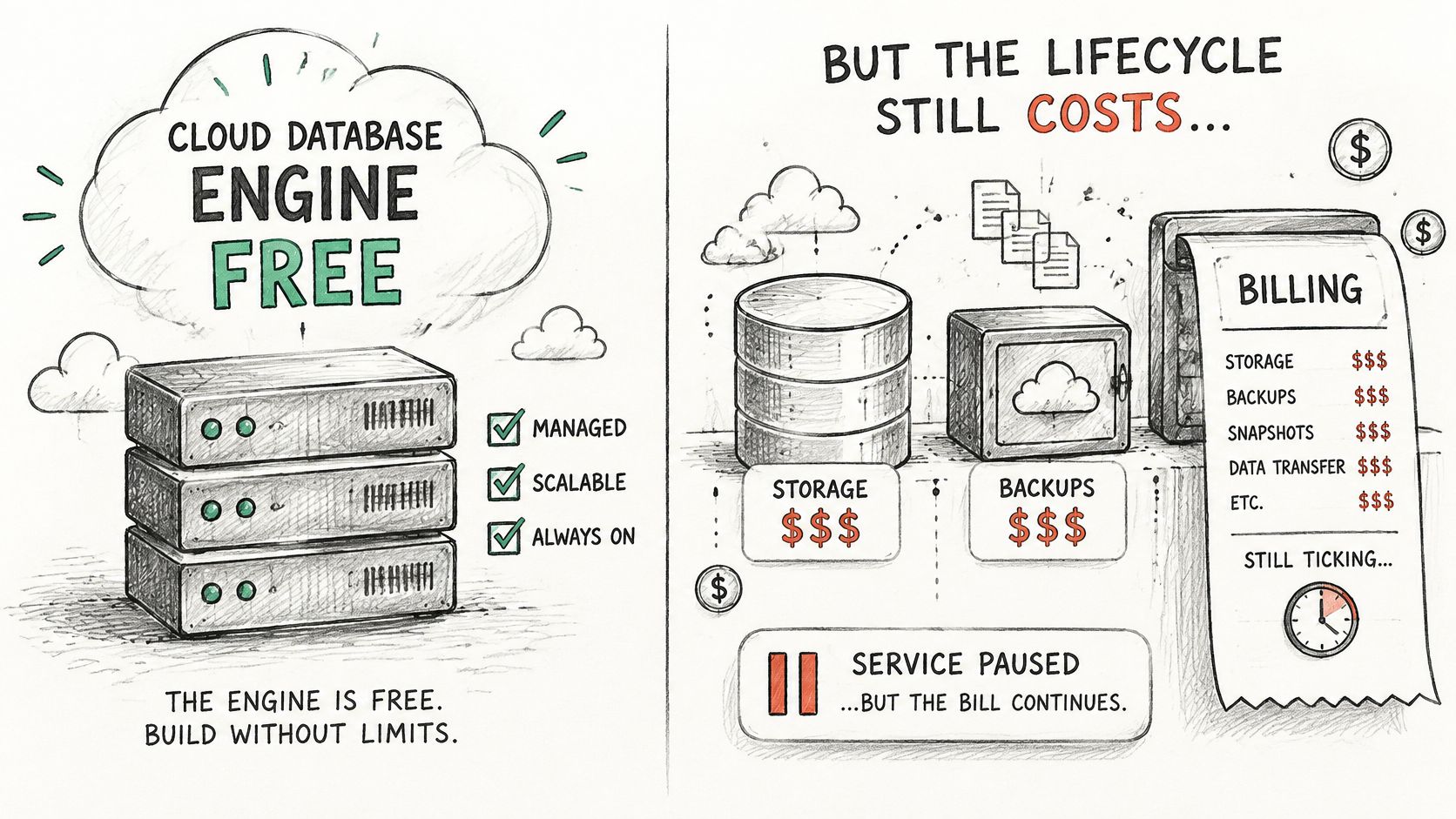
Free credits create another source of confusion. In Google Cloud's billing model, trial credits and product-specific free quotas are separate, and usage outside an allowance can become billable on a paid billing account. Regional eligibility also matters, so don't assume that selecting a nearby region preserves the advertised benefit.
Cost escape map
Cost escape map: what keeps billing and how to stop it
| Artifact or action | Billed when | How to stop it |
|---|---|---|
| Stopped database instance | Provisioned storage and backup storage remain allocated, as with RDS | Delete the instance and all its snapshots after preserving needed data |
| Backups and snapshots | Billable retained copies remain after stopping or deleting the instance | Delete each retained copy and verify removal |
| Cross-region access | The applicable network tariff charges for data movement between regions | Co-locate application and database, then check remaining egress rules |
| Replicas and clones | Additional copies consume billable storage or compute | Delete test copies at the end of each run |
| Abandoned projects | Storage and backups persist outside free allowances | Set expiry deadlines and budget alerts before leaving the project |
Deleting a database is a destructive cost-control action, not a substitute for an exit plan. Export anything worth keeping, verify that the export opens, then remove the resources you no longer need.
This accompanying video provides another format for reviewing the topic.
Put cleanup under the same control as creation
- Keep traffic local where practical. Place the application and database in the same region to avoid unnecessary cross-region movement. This doesn't guarantee free networking, especially for downloads and exports to external destinations.
- Expire temporary environments. Coding agents can create useful infrastructure that nobody remembers to remove. Our optional resource lifetimes trigger deletion at a specified deadline; set them while the project still has an owner.
- Verify the result. Use budget alerts and hard caps where available, then inspect the console or resource inventory after deletion. Our budget caps help constrain spending, but they don't replace checking for retained resources.
A successful delete command isn't the final check. Confirm that instances, copies, and backups are gone, and review subsequent usage records for resources you missed.
Backups, Retention and Recovery on Free Plans
Free tiers provide room to experiment, not an automatic recovery guarantee. Firestore's pricing documentation excludes point-in-time recovery, backups, restores, and clones from free usage, even though the service includes a free operating allowance.
That distinction matters when an experiment becomes useful. Having enough capacity to store customer feedback doesn't establish that you can recover it after a mistaken migration. Trial-ending policies add another concern: Google warns that data in a free-trial environment may be marked for deletion when the trial ends.
Classify the data before choosing protection
Lifecycle stage and what to check before relying on it
| Stage | Typical use | Retention and backups | Action before relying on it |
|---|---|---|---|
| Disposable sandbox | Throwaway tests and CI seed data | No backups expected; data can be lost | Rebuild from seed scripts |
| Valuable prototype | Demos, user feedback, and early real data | Confirm the retention window and whether restore exists | Test export and restore before adding more data |
| Production candidate | Real users and commitments supported by the data | Needs backups, point-in-time recovery, and an uptime commitment | Move to a persistent or paid plan before launch |
The middle stage deserves particular attention. A prototype can contain irreplaceable information before anyone considers it production: interview notes, uploaded documents, configuration changes, or the only copy of a useful dataset.
Recovery test: A backup is useful only if you can restore the right data into a working application.
Prove the recovery path
- Confirm retention and eligibility. Record what expires, what inactivity means, whether a trial ending changes access, and whether the selected region qualifies for the offer.
- Run a complete export and restore. Restore into a separate database, apply the application configuration, and test representative reads and writes. Check schema, indexes, permissions, and extensions rather than validating row counts alone.
- Test portability. Confirm that the export format can move to another provider. A provider-specific snapshot may be useful for local recovery without being a practical migration artifact.
Keep export credentials and encryption requirements in the recovery notes. An export stored beside the database under the same temporary account may not protect you from losing access to that account.
Also distinguish persistence from recoverability. A service can keep data while running normally yet offer no way to reverse a bad update. Conversely, a retained backup is insufficient if restoring it requires a paid feature you haven't enabled or a workflow nobody has tested.
Treat a free tier as capacity-limited rather than backup-protected. Document the retention assumptions in the project notes, assign responsibility for recovery, and move to a persistent plan with suitable protection before the data becomes valuable.
Stay, Export or Leave the Free Tier
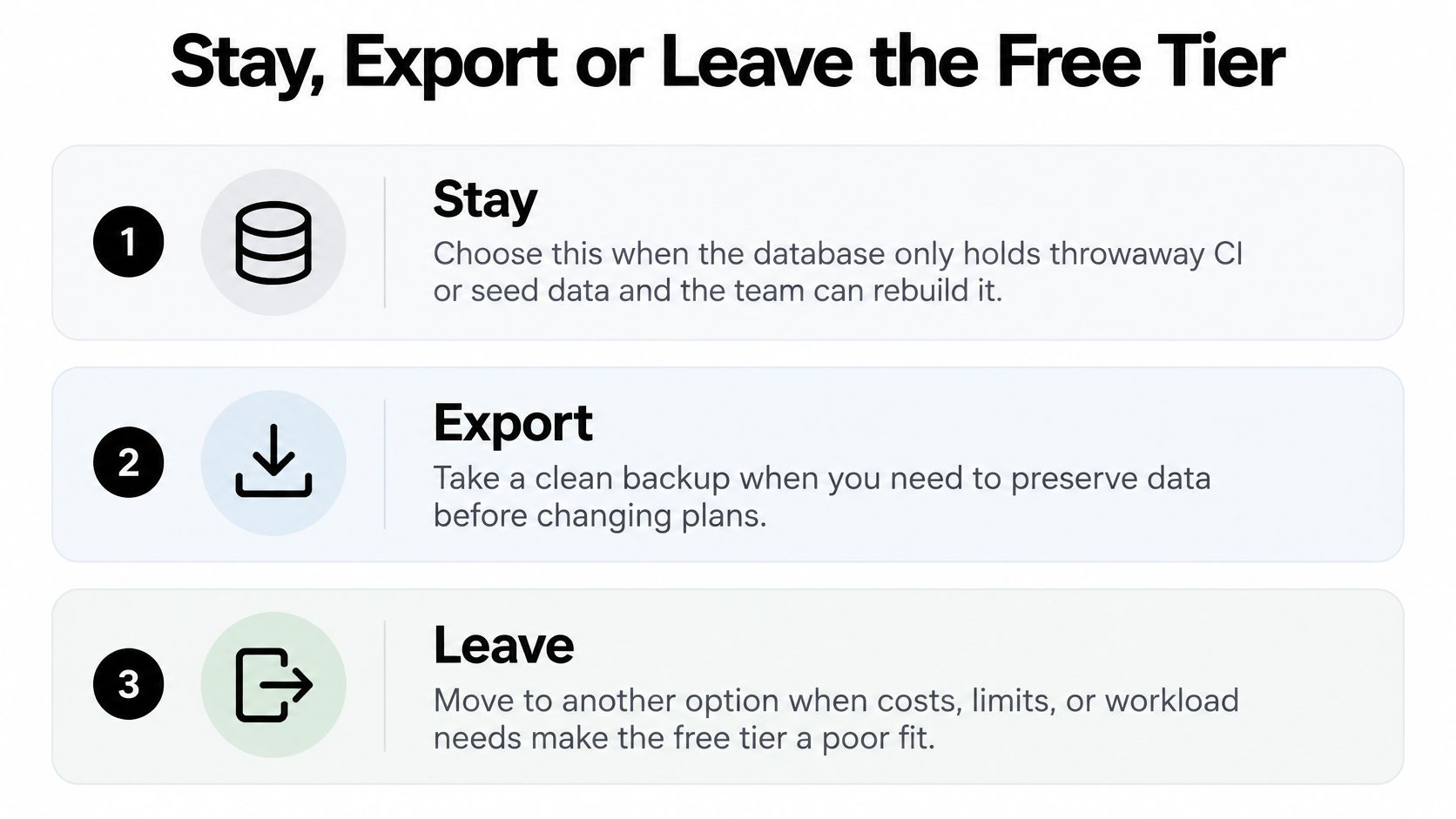
Stay when the database contains only throwaway CI data or reproducible seed records. Accept the development trade-offs intentionally, and keep the rebuild process working rather than maintaining a fragile environment nobody can recreate.
Export when a demo starts collecting information you can't reproduce. Complete an export and a restore before adding more records, and establish that the result can move outside the current provider.
Leave the free tier when real users depend on the data. Choose a service configuration with the recovery and availability commitments your application needs, not merely a larger storage allowance.
Use the decision that matches the value of the data.
A candid starting point
Our ExtraOrbital Free plan is for building, not production. It requires no initial payment card, includes a free allowance on each provisioned resource, and writes credentials into your project's .env file. It has no backups, no restore, and no uptime guarantee; projects are deleted after 30 days without use, and bucket files are deleted 30 days after upload.
Pay-as-you-go costs $20 per member per month plus supplier-cost resource usage. It adds periodic backups and restore on every resource, resources that never expire, usage without supplier-price markup, and email support.
Choose a paid configuration because the data and workload justify keeping it, not because upgrading feels like the automatic next step. A disposable test database may never need promotion, while a modest prototype may need protection long before it approaches its capacity limit.
The useful milestone isn't a full disk. It's the moment losing the database would cost more than rebuilding the environment.
ExtraOrbital provisions databases and supporting infrastructure, then puts connection details where your application expects them. Visit ExtraOrbital to start a disposable development project, set its cleanup deadline, and choose persistent resources with backups when your recovery test shows the data is worth keeping.