Create Database Access: Secure Users, Grants and Credentials
Learn how to create database access safely: set up users, grant least-privilege permissions, store credentials and rotate them without downtime.
You've got an application ready to run, but its database connection still uses a password someone pasted into chat. The same value might be on a developer's laptop, in CI, and inside staging. Changing it could break all three, and nobody can say which connections still need it.
To create database access safely, start with the identity and its job, not the connection string. Then build a lifecycle around that access: specific grants, protected delivery, authorization tests, coordinated rotation, and an explicit end date.
Match Each Connection to the Right Access Level
A shared administrator password makes setup easy and every later decision harder. When a laptop, pipeline, and service connect as the same administrator, you can't revoke one without disrupting the others, and the database can't reliably distinguish their activity.
Plan access per identity before creating users. Record the environment, required objects, permitted operations, and person responsible for approving changes.
Access level by identity type
| Identity | Typical use | Privileges to grant | Credential lifetime |
|---|---|---|---|
| Developer laptop | Local development and debugging | Read and write on the dev database only | Personal login, rotated when the developer changes role |
| Autonomous coding agent | Provisioning and testing in a sandbox | Scoped to one dev database, no admin rights | Per project, revoked when the project ends |
| CI job | Running tests and migrations | Migration role for schema changes, test database only | Per pipeline run, dynamic if possible |
| Staging service | Pre-release testing | Runtime role with CRUD on app tables | Rotated on each release cycle |
| Production workload | Serving live users | Runtime role limited to required tables and commands | Rotated on schedule, short-lived preferred |
| Analytics or support user | Reporting and investigation | Read-only on named views, no write rights | Reviewed quarterly, removed when unused |
Separate migration privileges from runtime privileges
The identity running ALTER TABLE shouldn't be the identity serving web requests. Give schema ownership and DDL permissions to a dedicated migration identity; give the application only its required reads and writes. A production deployment job needs separately approved production migration access, not the test credential reused against a different hostname.
For reporting and investigation, named views can expose approved fields without exposing entire customer records. No application should connect as a superuser or object owner, even if doing so makes an initial permission error disappear.
Developers also don't automatically need live production data. Redgate's 2025 State of the Database Landscape found that 38% of organizations used masked production data and 16% used purely synthetic data to protect sensitive information. Choose the least sensitive dataset that can reproduce the problem.
Practical rule: One identity per workload, least privilege by default, and separate approval for elevated access.
Before creating anything, request the database name, schema, tables or views, required SQL operations, and permitted connection source. A request for database access without those details isn't ready to implement.
How to Create a Database User and Grant Access
Use PostgreSQL as the reference. Other engines express users and grants differently, but the sequence remains: establish a login, authorize specific objects, then verify the boundary. If the database itself doesn't exist yet, handle that separately with a SQL database creator workflow.
This workflow separates creating an identity from granting its permissions.
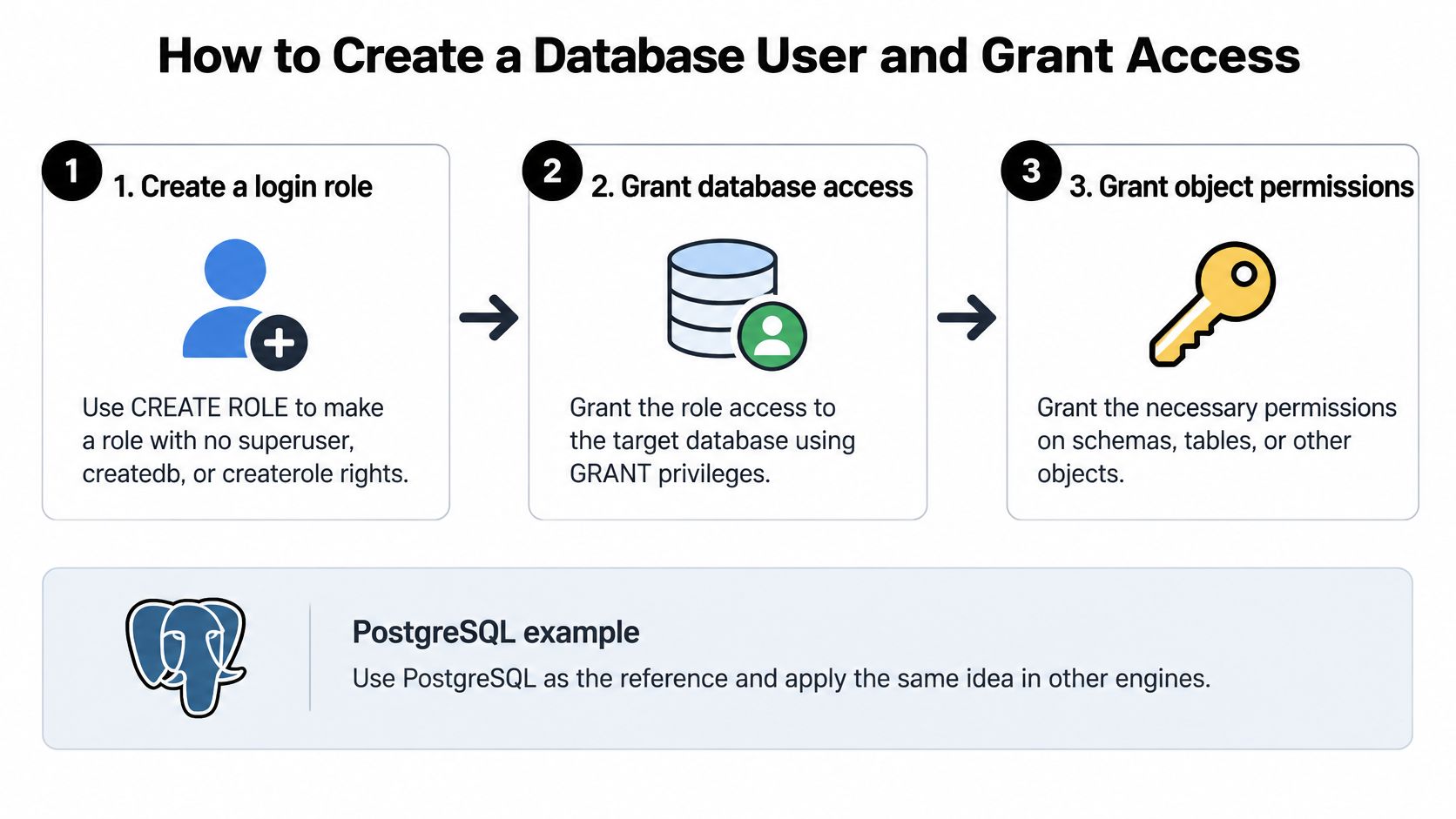
Create the login and grant named objects
Run these commands through an authorized administrative connection. The example assumes database appdb, schema app, and existing tables orders and customers.
Create a restricted login. Run
CREATE ROLE app_reader LOGIN NOINHERIT NOSUPERUSER NOCREATEDB NOCREATEROLE;.NOINHERITprevents automatic use of inherited role privileges, but it doesn't make broad role memberships safe, so don't grant them casually.Set a generated password privately. In
psql, run\password app_readerand enter a value generated by your secret manager. This avoids embedding the password in SQL text or shell arguments; don't type a reusable password into a shared terminal recording.Authorize the database and schema. Run
GRANT CONNECT ON DATABASE appdb TO app_reader;, connect toappdb, then runGRANT USAGE ON SCHEMA app TO app_reader;. Database connection permission doesn't grant table access, and schemaUSAGEdoesn't permit creating objects.Grant reads on named tables. Run
GRANT SELECT ON TABLE app.orders, app.customers TO app_reader;. Avoid blanket grants when the role needs only these objects; future migrations should explicitly authorize newly required tables.Give writes only to the runtime role. For an existing
app_runtimerole, useGRANT INSERT, UPDATE ON TABLE app.orders TO app_runtime;only if those operations are required. AddDELETEseparately, and handle sequence permissions when inserts use sequences; neither requirement justifies granting ownership.
Make future permissions deliberate
Inspect and constrain default grants. For objects created by
app_migrator, useALTER DEFAULT PRIVILEGES FOR ROLE app_migrator IN SCHEMA app REVOKE ALL ON TABLES FROM PUBLIC;. Also remove any broad defaults previously granted to application roles; defaults are creator-specific, don't change existing tables, and should be paired with explicit grants in migrations.Verify as the new login. Connect as
app_reader, runSELECT * FROM app.orders LIMIT 1;, and verify that an unauthorized operation fails. Testing through the administrator connection proves nothing about the new role.
The common deployment slip is granting access to existing tables but forgetting how the next migration will authorize new ones. GRANT ... ON ALL TABLES covers existing tables, not future objects; default privileges govern future objects separately.
For a video companion to the setup, use the embedded walkthrough.
Store Credentials Where Code Can Read Them Safely
Positive Technologies reported that authentication data accounted for 21% of leaked information in the first half of 2024, a 9-percentage-point increase from the same period in 2023. After creation, every copy in a file, log, screenshot, or chat becomes another place you must protect.
Prefer a centralized secret manager that the application accesses through its workload identity. Grant access to the required secret rather than the whole secret namespace, and ensure the application can refresh it without requiring a code change.
The illustration highlights the boundary between usable credentials and exposed credentials.
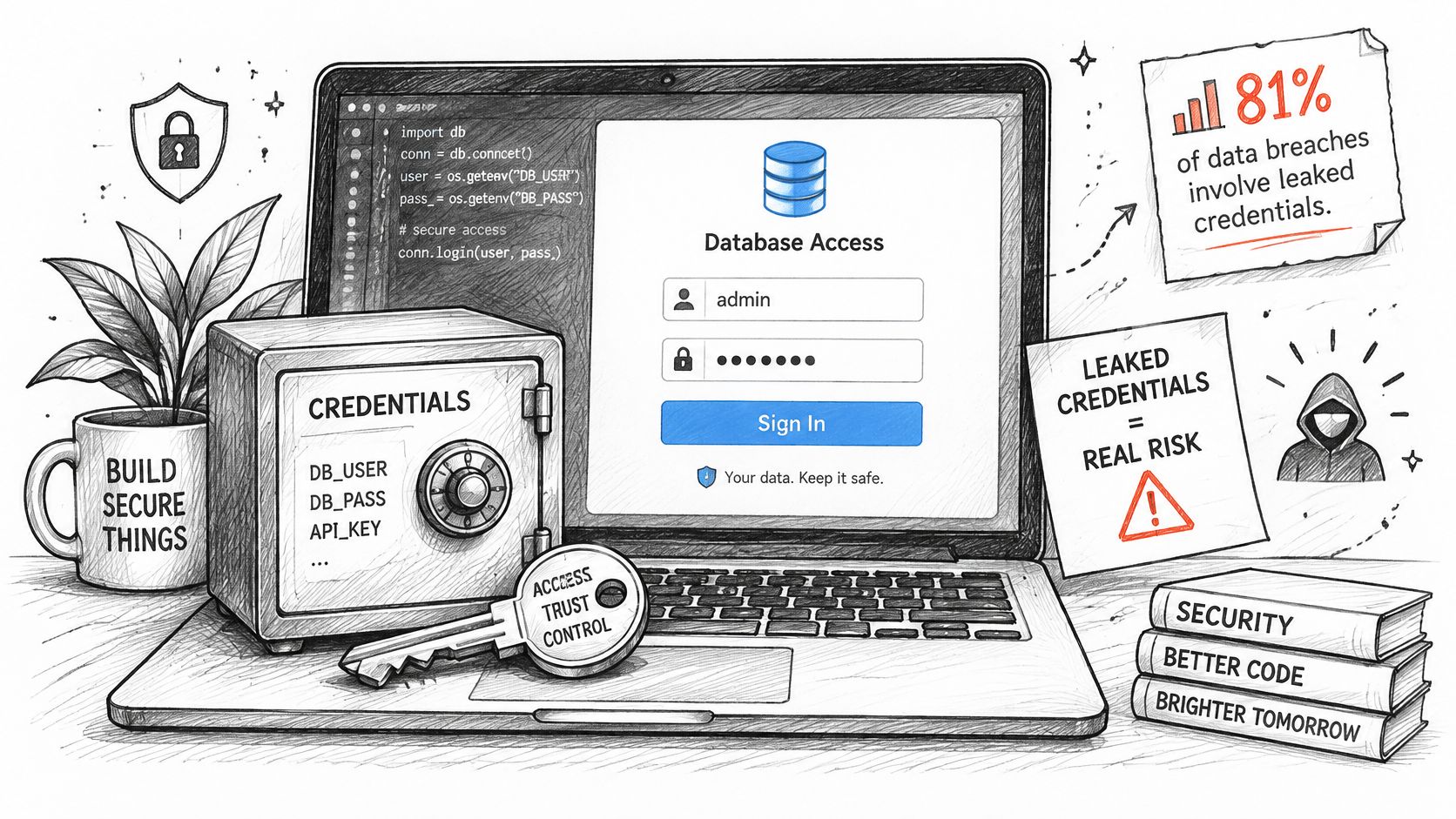
Choose storage with its failure mode in mind
- Runtime secret retrieval: Best when your platform supports workload authentication and controlled secret reads. Don't replace a database password with an equally exposed, permanent secret-manager token.
- Injected environment variables: A practical deployment option, but process diagnostics and crash reporting must redact them. Updating the stored value won't necessarily update an already-running process.
- Local environment files: Suitable for development when protected deliberately. Add
.envand.env.localto.gitignorebefore the first commit and exclude them from container build contexts.
In our workflow, credentials are written to environment files by default. Treat those files as secrets, not ordinary project configuration; commit a separate example file containing variable names and empty values.
For CI, use the pipeline's protected secret variables and disable command echo around sensitive steps. Masking helps, but a transformed or encoded secret can still escape masking rules. A secret-key generation workflow should deliver generated values directly to protected storage rather than encouraging copy-and-paste distribution.
Check the places developers accidentally expose
- Source code: Embedded connection strings and committed configuration.
- Debug output: DSNs, request traces, and complete environment dumps.
- Shared troubleshooting: Screenshots and pasted error messages.
- Repository history: Old values that remain accessible after a file is edited.
If a secret leaks, rotate the live credential first, then clean repository history and other copies. Deleting the visible text doesn't invalidate the credential.
Test the Connection and Fix Common Access Errors
Make a read-only health check a deployment gate. Connect using the actual application identity, execute SELECT 1;, then run SELECT * FROM app.orders LIMIT 1; against an approved table. The constant query tests connectivity, while the table query tests object authorization.
Add a negative test for a read-only login: UPDATE app.orders SET status = status WHERE FALSE; should fail with a permission error. Run permission probes in a controlled environment, since even a statement that matches no rows can interact with statement-level triggers if unexpectedly authorized.
Diagnose the failing layer
Read the complete server error before changing permissions. A schema error, table error, and authentication failure require different fixes; none is a reason to grant administrator access.
Access errors, causes and fixes
| Symptom | Likely cause | Fix |
|---|---|---|
| Permission denied for table orders | Table or schema grant missing | Grant SELECT on the table and USAGE on the schema to the role |
| Password authentication failed | App holds the old password after rotation | Reload the secret from the store and confirm the rotation finished |
| Connection refused or timed out | Wrong host, port or source address not on allow list | Check the host string and add the approved source address to the allow list |
| Write rejected for runtime user | Role intended as read-only | Expected behavior; move writes to the runtime role only where needed |
| Role can drop or alter tables | Owner or superuser rights granted by mistake | Remove ownership or elevated role membership and grant only specific privileges |
A timeout isn't proof of bad grants: the connection may never have reached PostgreSQL. Likewise, removing superuser status doesn't remove object ownership, so inspect both when a role can alter tables.
A failed write is a successful security test when the identity is supposed to be read-only.
Build these checks into your backend application development workflow, using the same secret-loading path and connection pool configuration as the service. A successful manual connection from your laptop doesn't establish that the deployed workload can connect.
- Before each release: Test from the deployment environment.
- During credential changes: Keep an approved rollback credential valid for the change window, unless it's compromised.
- After failures: Record the identity, target object, and error without logging the password or complete DSN.
Rotate and Revoke Access Without Breaking Apps
Restarting an application doesn't revoke a stolen credential. The OWASP Secrets Management Cheat Sheet warns that it remains usable until expiration or explicit revocation. Restarting consumers and invalidating credentials are separate operations.
For planned rotation, use an overlap window rather than changing a password and hoping every consumer reloads immediately. PostgreSQL supports a single password per login role, so overlapping passwords require separate login roles or an authentication system that supports overlapping credentials.
Use a controlled cutover
Create a second valid credential with equivalent permissions. In PostgreSQL, create a replacement login and grant the same narrowly scoped non-login permission role. This keeps authorization consistent while both logins work during the transition.
Update the secret store and every consumer. Include application services, CI variables, migration jobs, scheduled workers, and connection pools. Record which consumers have loaded the replacement rather than assuming a deployment refreshed everything.
Test the replacement through the application path. Run the read-only health check and the permission boundary test. Confirm fresh connections use the replacement identity, not an existing pooled session.
Retire the old credential after consumers report success. Disable the old login, remove its secret, and verify that fresh authentication fails. Investigate remaining sessions before terminating them, because cutting an active transaction can disrupt work.
Changing the database password before consumers have a usable replacement creates an avoidable outage. For an exposed credential, however, containment may require immediate revocation even when that interrupts service.
Revoke identities without collateral damage
When a laptop is lost or an agent project is abandoned, revoke that specific identity. In PostgreSQL, ALTER ROLE agent_project LOGIN; would enable login, so use the disabling command deliberately: ALTER ROLE agent_project NOLOGIN;. Existing sessions remain active until closed or terminated; NOLOGIN only blocks new logins.
Check the identity's role memberships, active sessions, and downstream secret access. Then verify that unrelated workloads can still authenticate.
Approval boundary: A registered agent can read automatically in our workflow, but provisioning, reading credentials, and deprovisioning require the customer's approval.
Assign a named owner to approve deprovisioning and record the decision. For suspected compromise, define emergency revocation authority in advance so approval routing doesn't leave exposed access active.
Audit Access and Clean Up Temporary Databases
Record connection attempts, failed authentication, administrative actions, rotations, revocations, and secret reads in a tamper-evident system separate from the database. Include the workload identity and project so an investigator can distinguish an agent task from a deployment.
Verizon's 2025 breach analysis identified compromised credentials as an initial access vector in 22% of reviewed breaches. Logs must therefore remain useful even when an attacker holds a legitimate login.
Give temporary resources an ending
Prefer dynamic, short-lived credentials for CI jobs and agent tasks. Expiration limits credential persistence, but it doesn't delete the database, remove retained data, or stop resource charges.
- Assign ownership at creation. Tag the database and credential with an owner, purpose, and expiry date.
- Review expired resources weekly. Notify the owner and distinguish disposable tests from recoverable prototypes and production resources.
- Revoke and dispose deliberately. Drop disposable databases or archive required state after approval. Decide backup retention separately; deleting the primary database doesn't necessarily delete its backups.
- Confirm closure. Check connection logs for attempted reuse and the usage ledger for resources still incurring charges.
Automatic deletion requires a warning and a way to preserve useful experiments permanently. Don't delete the only reproducible prototype state just because its original deadline passed.
During quarterly access reviews, identify unused grants, credentials older than policy, and roles broader than their workloads require. Send each finding to its identity owner with a concrete action: remove a grant, rotate a credential, transfer ownership, or retire the resource.
Set Up Your First Scoped Credential Today
Choose a workload that only needs reads, create its dedicated role, store the credential securely, and test it from the environment where it will run. Before issuing the credential, record its owner, expiry date, and readable tables. Those decisions make the boundary reviewable before the application starts relying on it.
You don't need to redesign every database account at once. Start with a reporting task, a sandbox agent, or another narrowly defined consumer whose expected behavior is easy to verify.
Use a small completion checklist
- Map identities: Write an access table for your project with a row per workload or person.
- Create the reader: Apply named-table grants without ownership or administrative privileges.
- Store the secret: Put the generated credential in your secret manager and authorize its intended consumer.
- Prove the boundary: Run
SELECT 1;, an approved table read, and the negative write test. - Schedule the ending: Add the revocation date and responsible owner to your tracking system.
Our credentials create command can make read-only credentials. The same operating discipline applies with any platform or command-line tool that can create roles, store secrets, and revoke access.
Create your first read-only credential this week, with its owner and ending already recorded.
ExtraOrbital provisions databases, AI, storage, and auth for a project with one command, without requiring you to create separate provider accounts. It creates databases, storage and API credentials, then saves their connection details in your project. Visit ExtraOrbital to provision your project's infrastructure and create a scoped read-only credential for its first database consumer.