View All Databases Postgres: Commands and SQL Queries
Learn how to view all databases Postgres holds with psql commands, SQL queries and fixes for missing results, plus tips for scripts.
Run \l inside psql, or run psql -l from your shell, and you'll list every database the connected role can see with its name, owner, encoding and access privileges. That's the direct way to view all databases in Postgres without opening a graphical tool or guessing a database name.
You're usually here because something less tidy is happening. You've inherited a connection string, provisioned a new server, or connected locally and found only postgres, template0 and template1 looking back at you. Or you've found the database you expected, but its size is blank and you can't tell whether it's empty or inaccessible to your role.
Treat the output as an access-dependent inventory, not an absolute statement about the cluster. I recommend checking which server you're on and which role you're using before you trust a single row. The command takes seconds. Interpreting it correctly is the actual work.
Commands That List Every Database
In an open psql session, \l shows every database on that server with its name, owner, encoding and access privileges. Pick your method from the table below based on whether you're already connected, working in a shell, or feeding names into code.
Methods for Listing Databases in PostgreSQL
| Method | Command | What it shows | Best for |
|---|---|---|---|
| psql interactive list | \l | Name, owner, encoding, access privileges | A quick check in an open session |
| psql interactive with details | \l+ | Adds database size, default tablespace and description | Capacity and storage reviews |
| psql from the shell | psql -l | Same columns as \l, then exits | Terminal use and shell scripts |
| SQL query | SELECT datname FROM pg_database; | Database names as rows you can filter | Application code and automation |
| Pattern filter | \l app_* | Only names matching the pattern | Finding one project's databases among many |
The first two rows need an open psql session. The shell command, the SQL query and a filtered one-off check can run from any terminal that can reach the server, which matters when you're scripting against a remote host.
One detail saves confusion later. psql -l connects to the postgres database unless you name another one, so you're still looking at the same server's inventory. You're changing the entry point, not the cluster.
Practical rule: Use
\lfor a quick look,psql -lwhen you want the list and an immediate exit, and SQL when the names feed code.
The qualifier matters. The list covers every database the connected role can see, so a missing name usually points to privileges or the wrong server rather than a database that doesn't exist.
How to List Databases in psql Step by Step
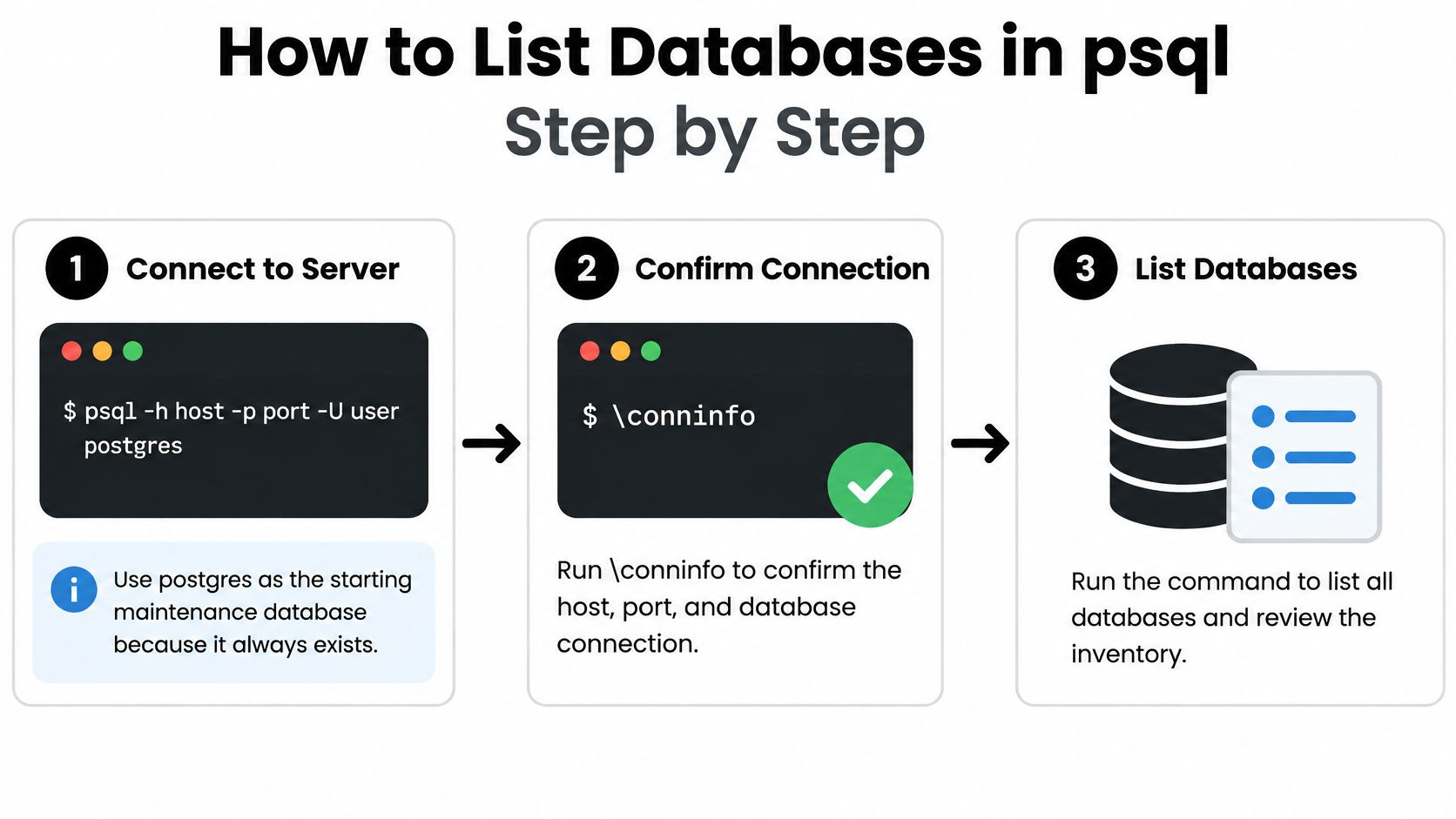
The flow below gives you the connection sequence before you read any output.
Connect and Confirm Where You Are
Connect to the intended server with
psql -h host -p port -U user postgres. Using postgres as the starting maintenance database works because it always exists, even before you've created a project database. The common slip is a wrong port, especially when a local install and a container are both running.Run
\conninfoto confirm the host, port, user and active database. This takes two seconds and stops you inventorying the wrong cluster with complete confidence. A familiar prompt doesn't prove you're on production, staging or your laptop.
The PostgreSQL psql documentation lists the databases on the server with \l, \list or psql -l, and the access-related columns and size values depend on the privileges of the role you connect with. That is why step 2 comes before any conclusions: the same command on the same cluster can return a different-looking inventory under a different role.
Read the List Then Get Sizes
Run
\land review each database's name, owner, character-set encoding and access privileges. You're checking ownership and encoding as much as existence, since an unexpected owner often explains later permission failures. The slip is scanning only the name column and missing a privilege string that excludes your application role.Run
\l+to add size, default tablespace and description. Size details appear when your role has CONNECT privilege on a database, is a superuser, or holdspg_read_all_stats. Reading a blank size as an empty database is the classic error. It usually means your role can't see the number, so check your privileges before concluding anything about the data.
A pattern narrows things when the cluster is busy, and filtering at the command beats eyeballing forty rows for one project.
Leave and Repeat From the Shell
- Type
\qto leave, then runpsql -lfrom the shell. You get the same list without opening a session, which suits a quick check right after a deployment. The slip is forgetting that, unless another database is selected, this connects through postgres and then exits, so don't expect to land at a prompt.
This short demonstration shows the commands running in a live session.
A healthy result shows template0 and template1 alongside your own databases, with each owner a role you recognise. If you can't name the owner, you've found your next question.
Querying pg_database with SQL
Start with the simplest working query and build from there.
SELECT datname FROM pg_database WHERE datistemplate = false ORDER BY datname;
That hides template0 and template1, which the server uses to build new databases. You rarely want templates in a project inventory, and filtering them in SQL beats deleting rows by hand afterwards.
Add Owner and Encoding in Readable Form
The raw catalog stores identifiers, not friendly text. Convert them as you select.
- Owner name:
pg_get_userbyid(datdba)turns the owner identifier into the role name you'll recognise in\loutput. - Readable encoding:
pg_encoding_to_char(encoding)turns the encoding identifier into values such as UTF8. - Ordered result:
ORDER BY datnamekeeps repeated runs comparable, so a diff shows real changes instead of shuffled rows.
Size needs care. pg_database_size(datname) returns a size, but only for databases your current role may connect to, so a broad query can error or return empty values on some rows. Don't wrap the whole inventory in a size call and then blame the catalog when a restricted database breaks it. I would fetch names, owners and encodings for everything first, then request sizes only where your role's access is expected.
Two more columns earn their place in any serious review. datallowconn marks whether a database accepts connections at all, which explains a database that's listed but unreachable. datacl holds access privileges, so you can review who can connect or create objects without opening each database in turn.
Columns of pg_database That Matter for an Inventory
| Column | Holds | Use in a query |
|---|---|---|
| datname | Database name | Filter names or loop over them in code |
| datdba | Owner role identifier | Convert with pg_get_userbyid(datdba) to read the owner name |
| encoding | Encoding identifier | Convert with pg_encoding_to_char(encoding) to read UTF8 or similar |
| datistemplate | True for template databases | Exclude with WHERE datistemplate = false |
| datallowconn | False when connections are refused | Flag databases that nobody can connect to |
| datacl | Access privileges | Review who can connect or create objects |
The server keeps every database in one catalog, so a single query reaches all of them. You don't connect to each database to ask whether it exists.
Run the query from the shell with psql -c 'SELECT ...' when a script needs it, or paste it into an open session when you're exploring interactively. Either way, save the final version alongside the project. An inventory query living only in your shell history isn't an inventory process. It's a memory test you'll fail in three months.
Why Your Database List Looks Incomplete
A blank size column is the complaint that starts most of these conversations. Your role probably lacks CONNECT privilege on that database, isn't a superuser, and doesn't hold pg_read_all_stats. Run the listing as a role with the needed privilege, or accept the blank and record it as unknown.
The PostgreSQL pg_database catalog documentation supports a practical workflow here. Connect to a known maintenance database such as postgres, verify the connection with \conninfo, run \l+, and treat missing size values as permission-related rather than evidence that the database is empty. It also warns that size information is available only for databases to which the current user can connect, so inventory jobs should use a controlled role and record both visible and inaccessible objects.
Match the Symptom to the Fix
| Symptom | Likely cause | Fix |
|---|---|---|
| Size column is blank | Role lacks CONNECT, superuser or pg_read_all_stats | Run as a role with the needed privilege |
| List comes from another server | Wrong host or port in the session | Run \conninfo and reconnect to the intended server |
| Pattern returns no rows | Case or wildcard mismatch | Use \l app and check exact names |
| Script parsing fails | Human-formatted \l columns | Use psql --no-align --tuples-only with a SELECT |
| Database listed but refuses connections | datallowconn or access rules block the role | Ask an administrator to review datallowconn, privileges and connection rules |
An unexpected server is the second most common problem, and it's embarrassingly easy to cause. You reuse a terminal, your environment variables point somewhere old, and the list looks plausible but wrong. \conninfo settles it. Check the host and port before you announce that a database has vanished.
Patterns fail more subtly. A case mismatch or a missing wildcard returns nothing, and nothing looks a lot like deletion when you're in a hurry. Broaden to \l *app*, check the exact spelling, and only then escalate.
Scripts deserve their own warning. The padded, aligned columns of \l are built for your eyes, not for a parser, and they'll break the moment a long name shifts the spacing. Switch to a SELECT with machine-readable output instead of writing increasingly fragile text splitting.
A missing size is a permission signal, not proof the database is empty.
A listed database that refuses connections is a different class of problem. Look at datallowconn, the privilege string and the server's connection rules, because listing and connecting are separate permissions. Record inaccessible databases in your inventory rather than dropping them. A dropped row looks identical to a deleted database in next month's report, and you'll waste an incident finding out which one it was.
Export and Verify a Database Inventory
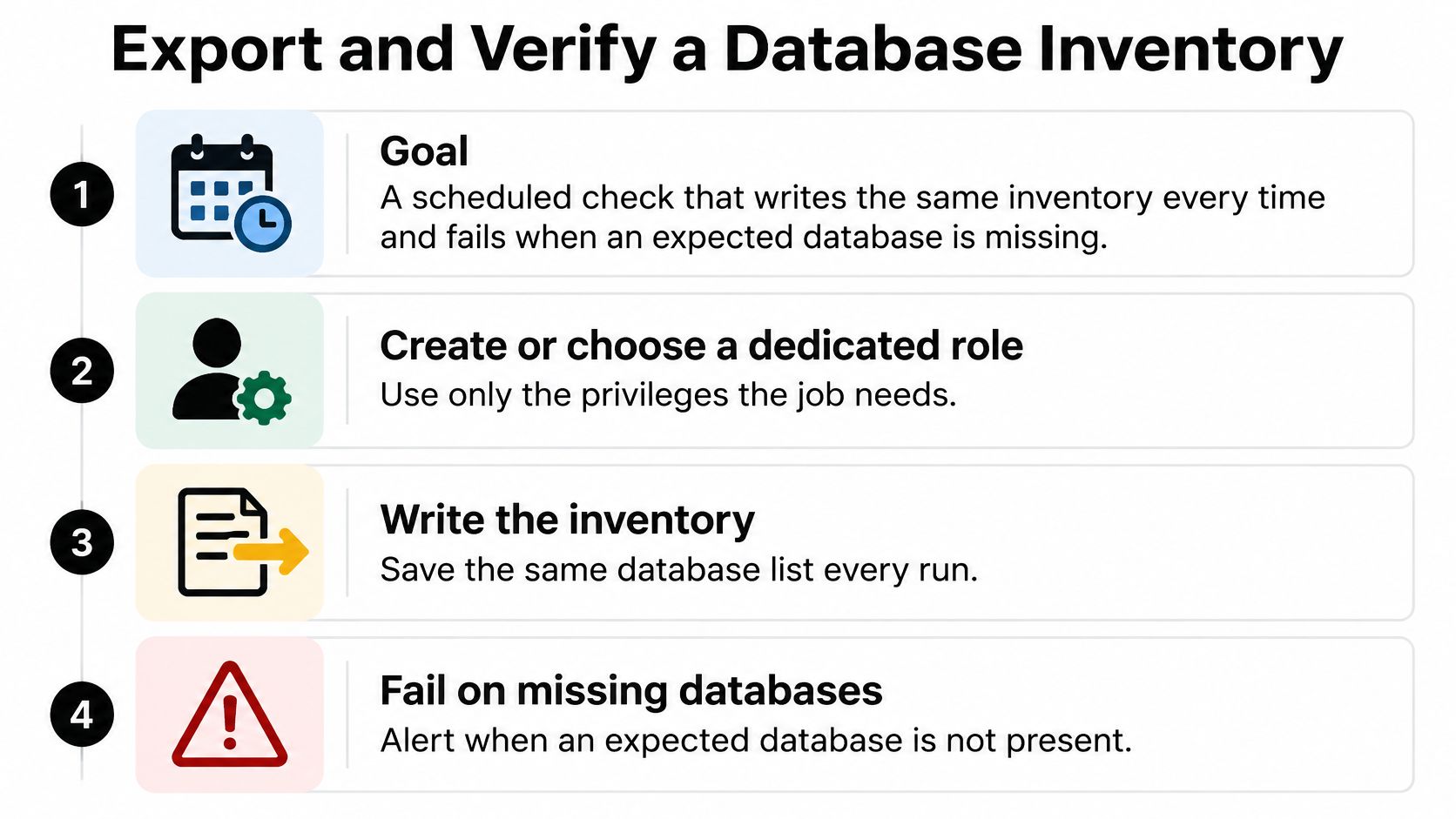
You're building a scheduled check that writes the same inventory every time and fails when an expected database is missing. Anything less repeatable is just a screenshot of a moment.
The checklist below sets out the export and verification steps.
Build the Scheduled Check
Choose a dedicated role with only the privileges the job needs, and record which role ran it. The list depends on that role, so an inventory without a named role can't be trusted or reproduced. I wouldn't hand a cron job superuser just to make the size column fill in.
Run the inventory query with clean output. Use
SELECT datname, pg_get_userbyid(datdba) AS owner FROM pg_database WHERE datistemplate = false ORDER BY datname;through psql with--no-alignand--tuples-only, so you get data without headers or padding. Stable formatting is what makes run-to-run comparison possible.Export with
\copywhen you need a file on the machine running psql. A command such as\copy (SELECT datname FROM pg_database WHERE datistemplate = false) TO 'databases.csv' CSV HEADERwrites locally, unlike server-side COPY, which writes where the server can see. That distinction matters on managed services where you have no server filesystem.
Compare Against What the Project Expects
Compare the file with expected names and fail the job when one is missing. This is the step that turns a report into a control. A CSV nobody checks will faithfully document your outage after the fact.
Store inaccessible databases separately instead of dropping them. A refused connection or a missing size stays visible, with its reason, so privilege drift shows up as a review item rather than a silent gap.
Verify before trusting the result by repeating
\conninfoin each environment. Confirm every expected name appears and that sizes show for databases you own. Development, staging and production should each pass on their own connection details, not on credentials borrowed from another environment's configuration.
Governance note: A successful listing command doesn't prove complete cluster visibility. Test the job's credentials against the intended server instead of assuming them from project configuration.
Provisioning discipline pays off here. On our Postgres offering, for example, there's 1 free database that scales to zero when idle, with paid use at $0.35 per GB-month for storage and $0.106 per CU-hour for compute, so an idle inventory target costs little to keep around. What matters more is that your expected-names list matches what was provisioned, because billing and inventory drift usually start with the same forgotten database.
Finish by running psql -l against the intended server and comparing it with the names your application expects. Then commit the query beside the project's migration files, so the inventory travels with the code and gets reviewed in the same pull requests. The same query runs in CI pipelines and cron jobs as long as the client can reach the server.
Do the next five minutes now. Open a session, run \conninfo, then \l+, and write down every name you can't explain.
Stop guessing which databases your project has and who can reach them. ExtraOrbital provisions Postgres and the rest of your project's infrastructure, writes credentials where your code expects them, and keeps resource, access and usage oversight in one control panel, so your inventory and your real infrastructure stay in step. Visit ExtraOrbital to provision your next database and check it with \l the moment it's ready.
Enhanced by Outrank tool