SQL Database Create Guide: Commands and Setup for 2026
Learn the sql database create command for PostgreSQL, MySQL, SQL Server and SQLite, with owner, encoding, setup steps and common error fixes.
CREATE DATABASE shop_app; is the statement that creates a database in PostgreSQL, MySQL and SQL Server, and it takes effect the moment you press enter. SQLite is the exception: there's no create statement at all, because the database is a file that appears the first time you open it.
You're likely reading this with a project open and a connection string half filled in. The setup guide told you to create a database, then jumped to routing and deployment, leaving you to guess which name to use, which encoding to pick, and which account should own the thing. Getting those decisions right now is cheaper than discovering them through a failed test six weeks from now.
The division between "create the database" and "build things inside it" predates every framework you're using. Edgar F. Codd's relational model, published at IBM in 1970, described information as tables of rows and columns, and IBM researchers Donald Chamberlin and Raymond Boyce wrote SEQUEL, later renamed SQL, for the System R prototype that made those tables practical. The language was declarative from the start: you describe the result you want, and the database works out how to produce it.
The principle this guide holds to: creation is step one of a repeatable setup, not a one-off click. A name, an owner, an encoding, a least-privilege login and a verified connection, in that order, before a single table exists.
Most of the trouble people hit at this stage isn't syntax. It's a default inherited, or a session that never switched to the new database.
The One-Line Command for Each Major Database
Three of the four engines you're likely to touch accept the same words, a name and a semicolon. What changes is the privilege behind the account running it and the command that gets you inside afterward.
| System | Create statement | Switch to it | Privilege needed |
|---|---|---|---|
| PostgreSQL | CREATE DATABASE shop_app; | Reconnect with \c shop_app in psql | CREATEDB role attribute or superuser |
| MySQL | CREATE DATABASE shop_app; | USE shop_app; | CREATE privilege on the server |
| SQL Server | CREATE DATABASE shop_app; | USE shop_app; | CREATE ANY DATABASE permission |
| SQLite | No CREATE DATABASE statement; the file is created on first use | Open with sqlite3 shop_app.db | Write access to the target folder |
PostgreSQL leads the examples here because 49% of developers surveyed worldwide reported using it in the 2024 Stack Overflow Developer Survey, making it the most popular database in that survey. SQL itself shows no sign of being displaced: 58.6% of respondents to the 2025 Stack Overflow Developer Survey reported using it.
Two MySQL details worth knowing before you type. MySQL treats DATABASE and SCHEMA as synonyms, so CREATE SCHEMA shop_app; does exactly the same work. The privilege lives on the server rather than in a role attribute, which is why a shared hosting account sometimes can create databases and sometimes can't.
Name it for the application, in lowercase with underscores. shop_app survives a connection string, a shell script and a JSON config file unchanged. Shop App forces quoting in SQL and percent-encoding in URLs, and a name starting with a digit is worse. Avoid reserved words like order and user.
Running the statement twice fails once the name exists, which becomes a real problem when the command lives in a script a teammate or an agent can execute again. The safe habit is to check before creating rather than dropping and rebuilding, which is what this walkthrough of create database if not exists covers for each engine.
Pick where the server runs before you type anything. A local PostgreSQL install suits offline work and full control over versions and settings. A hosted service suits a team that would rather not manage a server. The commands that follow work the same way on both.
Owner, Encoding and Template Settings That Matter
A bare CREATE DATABASE shop_app; on PostgreSQL doesn't produce a neutral empty database. It copies the default template, inherits that template's encoding and collation, and hands ownership to whoever ran the statement. Three months later, when the tables are full, that inheritance shows up as a sort order that doesn't match your test suite.
The PostgreSQL CREATE DATABASE documentation lists owner, template, encoding, locale, collation and character-classification settings, and it flags the constraint that trips people: encoding has to be compatible with the locale you select. A production-grade command spells all of it out:
createdb -h HOST -p PORT -U ADMIN -O APP_OWNER -T template0 --encoding=UTF8 --locale=LOCALE APP_DB
template0 is the piece beginners skip. The standard template carries whatever objects and settings were added to it over time, so template0 is the right starting point whenever the locale or encoding differs from that default.
The setting people regret most: the collation. A database created without a pinned locale sorts and compares text by whatever the server's operating system reports, so an index built on one machine and a test run on another can disagree about ordering.
MySQL needs the equivalent spelled out too: CREATE DATABASE shop_app CHARACTER SET utf8mb4 COLLATE utf8mb4_0900_ai_ci;. The character set decides what text can be stored, and the collation decides how strings compare and sort. Picking one deliberately keeps ß next to ss, keeps case-insensitive matching predictable, and stops a uniqueness check from behaving differently on a developer's laptop.
| Option | What it controls | When to change it |
|---|---|---|
| OWNER | Role that controls the database and its objects | Set it to the application role, never to the admin login |
| TEMPLATE | Existing database copied as the starting point | Use template0 when the locale or encoding differs from the default |
| ENCODING | Character set used to store text | Use UTF8 for most applications, and make sure it matches the locale |
| LC_COLLATE and LC_CTYPE | Sort order and character classification | Set both explicitly so sorting matches across servers and tests |
The third pitfall is quieter than the first two. If the account that runs your application also owns the database, a compromised application token can drop its own tables.
How to Create a Database Step by Step
Here's the full path from an admin login to a row you can read back, using PostgreSQL on a local install.
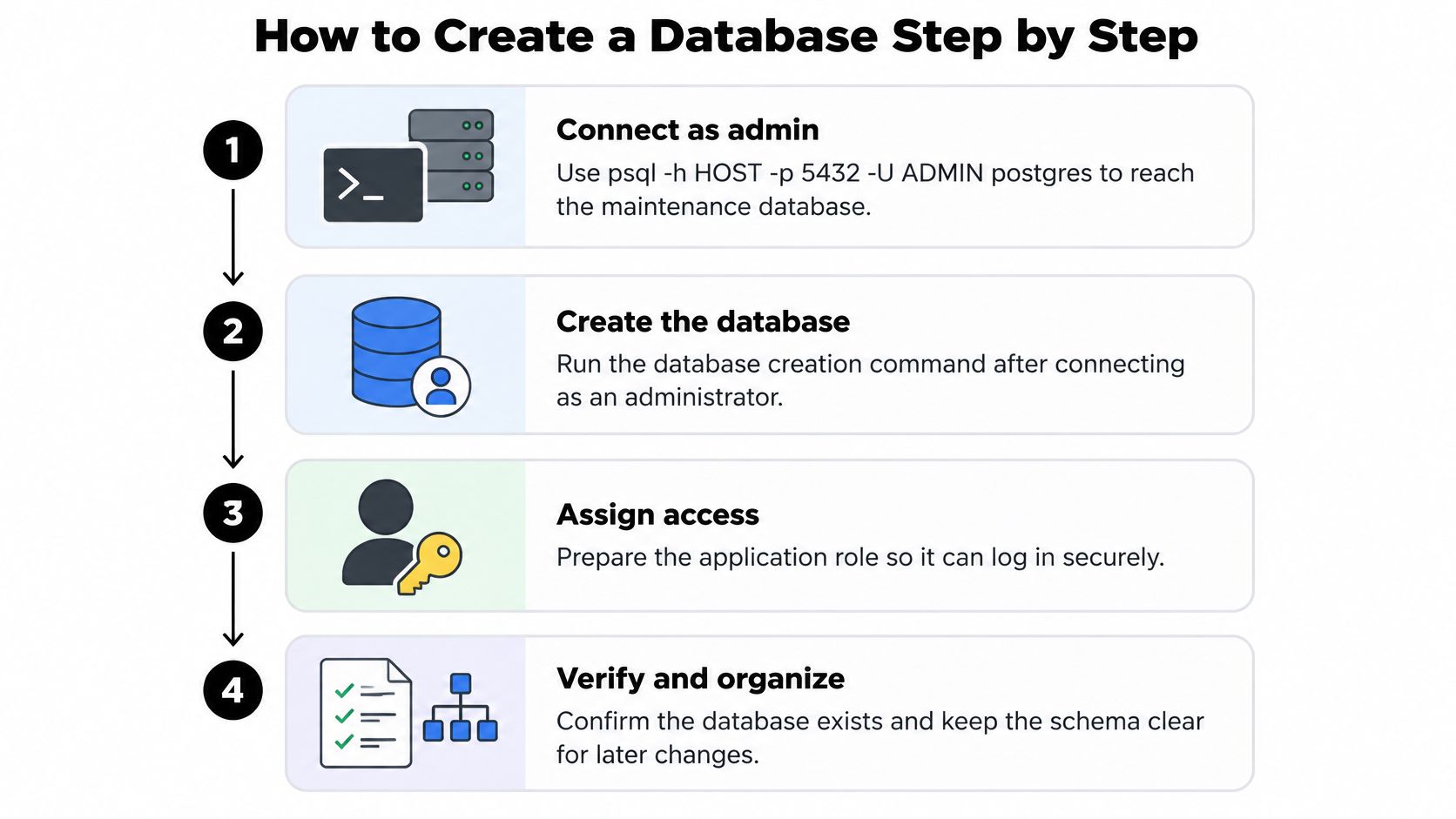
Connect as an administrator to the maintenance database.
psql -h HOST -p 5432 -U ADMIN postgres. You connect topostgresfirst because you can't create a database from inside one that doesn't exist yet, and that maintenance database always does.Confirm the name is free.
\llists every database on the server;SELECT datname FROM pg_database;gives the same answer as a query. Do this before creating, not after, because it's the moment you notice a colleague already used the name.Create the database with explicit settings.
CREATE DATABASE shop_app OWNER app_owner ENCODING 'UTF8' TEMPLATE template0;. Theapp_ownerrole must already exist, so create the role first if it doesn't. Omitting OWNER here means the admin account owns the database, which you'll need to fix later withALTER DATABASE.Reconnect to the new database.
\c shop_appin psql. The most common slip in the whole procedure is forgetting this line and running the next command while still connected topostgres, which puts your first table in the wrong database.Create the first table.
CREATE TABLE customers (id serial PRIMARY KEY, email text NOT NULL UNIQUE, created_at timestamptz DEFAULT now());. Keeping one table lets you prove the database accepts writes without designing a whole schema yet.Insert a row and read it back.
INSERT INTO customers (email) VALUES ('maria@studio-north.dev');, thenSELECT * FROM customers;. If the row comes back exactly as typed, storage, encoding and connection are all working.
A successful run has three visible signs: the database appears in the \l output, the table exists when you list tables inside shop_app, and the read-back returns your row.
If the procedure still feels abstract, watching it run once in a terminal is worth the two minutes before you repeat it on your own machine.
Set Up Access and Version the Schema
The database exists, and the application still can't use it. Access is where first setups go wrong, and it belongs to creation work rather than to a later hardening pass.
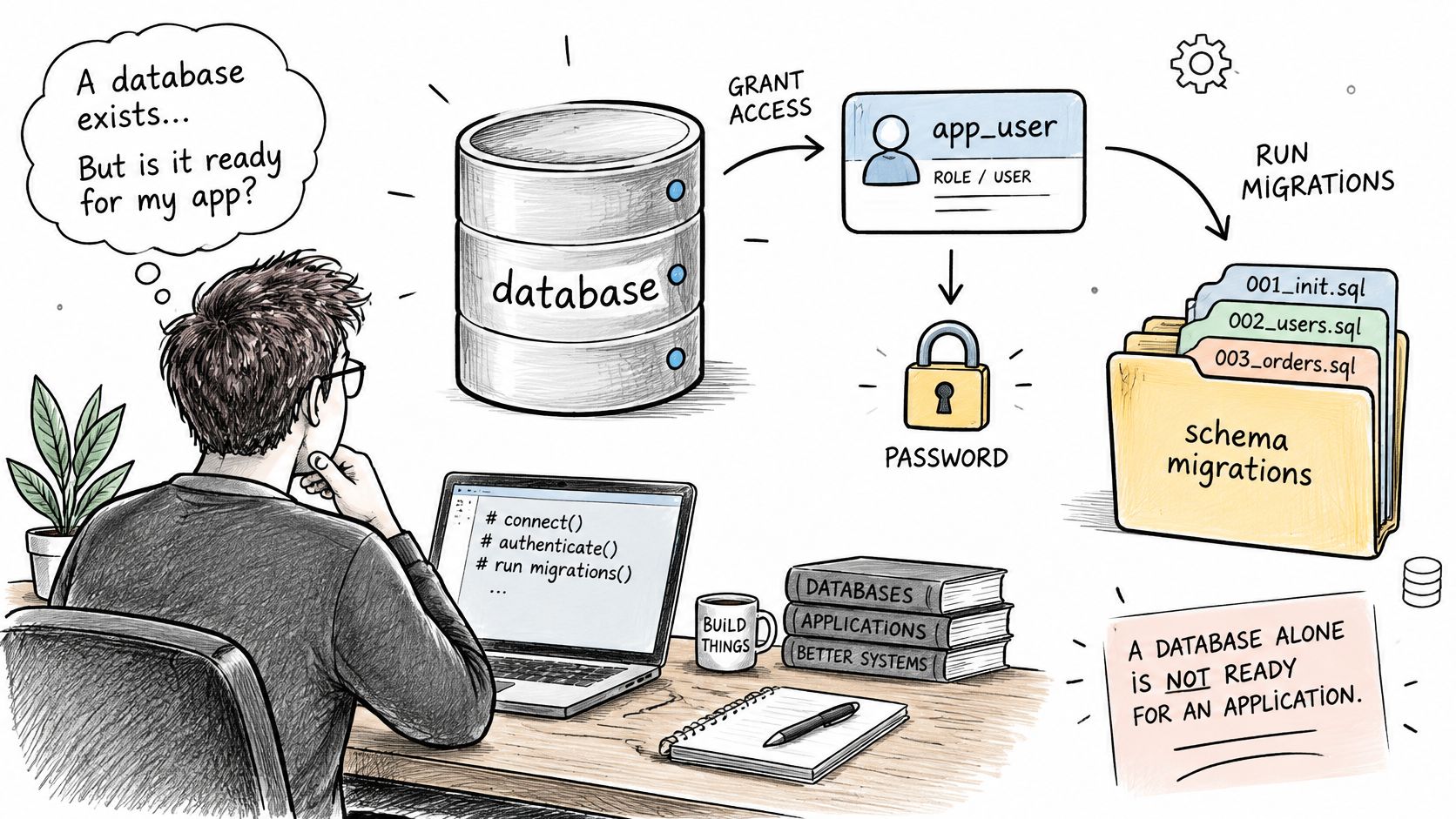
Create a separate runtime role.
CREATE ROLE app_user LOGIN PASSWORD ...with the password pulled from a secret store at deploy time. One login per machine or workload makes revocation a single command instead of a rebuild.Grant the minimum.
GRANT CONNECT ON DATABASE shop_app TO app_user;thenGRANT USAGE ON SCHEMA public TO app_user;and table-level SELECT, INSERT and UPDATE on the tables it touches. Nothing else, no CREATE on the schema unless a migration tool needs it under a separate role.Keep ownership where it belongs. The owner role you named at creation holds the objects. The runtime login never gets superuser and never owns the database, so a leaked credential can read and write rows without reshaping anything.
The full sequence of role grants, credential scoping and revocation is laid out in this guide to create database access, which is worth reading before you hand a login to an application or an agent.
Passwords pasted into a shell or committed next to a placeholder are the normal failure mode. GitGuardian's 2026 report on secrets sprawl counted 28.65 million new hardcoded secrets added to public GitHub commits in 2025, a 34% increase year over year, and the same analysis puts PostgreSQL connection strings at 14% of secrets leaked in MCP configuration files. Issue runtime credentials from a store you can rotate, and scope each one to a single environment.
Then version the schema. Flyway's analysis of failed database deployments lays out the discipline: provision an empty database, apply a numbered transactional baseline migration, test it against production-scale data, deploy additive changes first, backfill in bounded batches, and add constraints or indexes only after validation. Its warning about scale is the one that bites: a migration that finishes in seconds on a laptop can hold a lock for minutes on a table with millions of rows. Keep a migration ledger with checksums, fail closed when a recorded checksum drifts, and check database existence and migration state before running any DDL so a retry can't half-apply a change.
Fix Common Database Creation Errors
Most SQL database create guides end at the command line, which is why the errors below catch people by surprise. The first one accounts for more stuck sessions than everything else combined: permission denied to create database. Your role is authenticated but lacks the CREATEDB attribute. Either run the statement from an admin role, or ALTER ROLE your_name CREATEDB; and accept that this account can now create databases anywhere on the server.
| Symptom | Likely cause | Fix |
|---|---|---|
| permission denied to create database | Role lacks the CREATEDB attribute | Grant CREATEDB or run the create statement from an admin role |
| new encoding (UTF8) is incompatible with the template database | Default template uses a different encoding | Add TEMPLATE template0 and set ENCODING to match the locale |
| database shop_app already exists | Name is taken on this server | Check the list with \l, then choose another name rather than dropping a database in use |
| Sort order differs between environments | Locale and collation were not set | Set LC_COLLATE and LC_CTYPE explicitly on every server |
| connection refused | Wrong host or port, or the server isn't running | Confirm the service is up and that host and port match, port 5432 by default |
The encoding error is a template problem wearing a character-set costume. PostgreSQL is telling you the source database stores text differently from the target, so point the create statement at template0 and set encoding to match the locale you chose.
database shop_app already exists is almost never solved by dropping the database. Someone's data is in there. Rename the new one to something specific, like shop_app_maria, and move on.
Two failures look like database problems but aren't. Tables that appear to vanish are usually sitting in postgres because step four got skipped. A refused connection is a network or process question: check the service is running, then check the port before you touch any SQL.
Read the error literally. PostgreSQL names the setting, the template and the privilege involved, and every one of those words maps to a fix you can apply in a single command.
Test Your New Database Before You Build On It
Verification takes three queries and one connection attempt, and it's the difference between a database that exists and a database your application can use.
Run SELECT current_database(), current_user; first. It confirms the session is inside shop_app under the role you expect, and it catches the wrong-session problem before anything else depends on it.
Then inspect the settings you chose: SELECT datname, pg_encoding_to_char(encoding) AS encoding, datcollate, datctype FROM pg_database WHERE datname = 'shop_app';. Compare the output against your plan. You want UTF8, and you want the collation and character classification to be the locales you pinned, not whatever the server inherited.
Connect with the application's credentials, not the admin login. Use the same host, port, database name and password the app will receive, and store them in the project's configuration file or environment, never inline in code. An admin connection tells you nothing about whether the runtime role has the grants it needs.
For the connection itself, this guide to connecting to a PostgreSQL database covers the string format, the SSL options and the failure modes worth checking first.
If you'd rather not run a server at all, ExtraOrbital provisions databases, AI, storage and auth for a project with one command and no separate provider accounts, then writes the connection details where your code already looks for them. That makes the provisioning step identical whether a person or a coding agent is running it, and it keeps a fresh environment's credentials scoped to that project.
Last step before you build: run the application's own connection test and one insert through it. When both succeed, add the second table.
The setup above is the work ExtraOrbital exists to remove. We create Postgres, MongoDB, Redis and vector databases, save the connection details into your project, and hand you grants, rotation and a record of what was provisioned, so a new environment takes one command instead of six careful decisions. If you'd rather spend the afternoon on your schema than on roles and connection strings, start at ExtraOrbital and provision the database you just planned.