How to Connect to PostgreSQL Database: Strings and Fixes
Learn how to connect to PostgreSQL database with connection strings, credentials, pg_hba.conf rules, and fixes for common connection errors.
You've got the host from the ticket, the password from the secret manager, and a database dashboard showing a green health check. Then psql answers with FATAL: password authentication failed for user "app_user". So you reset the password. It fails again. You try the superuser role, which works from your laptop but not from the container, and the whole afternoon disappears into a problem that was never about the password.
That pattern is why I treat PostgreSQL connections as three separate systems instead of one. A client either reaches the server, matches a host-based authentication rule, or holds privileges on the tables it queries. Each layer fails with different error text, and only the last two are PostgreSQL's opinion of you.
This is the default database for many teams now. Stack Overflow's 2025 Developer Survey reports that 55.6% of respondents used PostgreSQL, based on 26,083 responses, which means nearly every error below has been solved thousands of times before. The fix is almost always in the order you check things, not in how hard you look.
Work through parameters, credentials, a terminal test, your driver, then authorization and pooling. Anything earlier than that is guessing.
Connection Parameters and String Formats
Every client, from psql to a JDBC driver, assembles a connection from six values. Host is a DNS name or an IP address. Port is 5432 unless the server was configured otherwise. Database name, user and password say what you want and who you are. The sixth is optional, a connect timeout that stops the client waiting forever on a host that never answers.
The PostgreSQL libpq connection documentation gives the canonical keyword example host=localhost port=5432 dbname=mydb connect_timeout=10, and that line is worth memorizing because it is the same handful of fields you'll fill in for every driver you touch. When you omit the port, the client falls back to the default chosen when PostgreSQL was built, which is 5432 on virtually every distribution and managed service.
Two formats, one set of values
You'll meet two spellings of the same thing. The URI form packs everything into one line, which suits environment variables:
postgresql://app_user:PASSWORD@db.example.com:5432/orders?sslmode=require
The keyword form uses space-separated pairs, and libpq accepts it directly on the command line:
host=db.example.com port=5432 dbname=orders user=app_user sslmode=require
Both are valid and both can hit the same server. Pick one per project. A large share of broken connection strings are a URI pasted into a client that wanted keywords, or the reverse.
The client library also reads PGHOST, PGPORT, PGDATABASE, PGUSER, PGPASSWORD and PGSSLMODE from the environment when a field is missing, which the same documentation describes as defaults used by client functions including PQconnectdb. One export block therefore keeps psql, pg_dump and most language drivers in agreement.
| Parameter | Environment variable | Example value | Where it comes from |
|---|---|---|---|
| Host | PGHOST | db.example.com | Cloud console or server admin |
| Port | PGPORT | 5432 | Server configuration, default 5432 |
| Database name | PGDATABASE | orders | Database owner or provisioning tool |
| User (role) | PGUSER | app_user | Database administrator |
| Password | PGPASSWORD | stored in secret manager | Secret store or rotation policy |
| Connect timeout | PGCONNECT_TIMEOUT | 10 | Client setting, seconds to wait |
Practical rule: write a placeholder in every example that reaches a repository or a ticket, and keep the real password in a secret store. A connection string with a live credential in a README is a leaked credential, and it stays leaked after you rotate it.
The other trap is quieter. If you specify a user but no database, the client defaults the database name to the user name, so logging in as app_user tries database app_user and fails with FATAL: database "app_user" does not exist.
Secure Credentials and SSL Modes
sslmode decides how much the client trusts the server, and it is the parameter teams leave at a default they never inspected.
- disable skips TLS. Only acceptable over a local socket on a machine you control.
- allow and prefer negotiate TLS but fall back to plaintext, which provides no protection when the server is misconfigured.
- require encrypts the traffic but skips certificate checks, so any machine answering on that port can impersonate your database.
- verify-ca validates the certificate chain against your CA bundle.
- verify-full validates the chain and the hostname. This is the only setting I'd ship to production.
Credentials deserve the same suspicion. Keep the password in the environment or a secret manager, never in source. Add .env files to .gitignore before the first commit, not after the first leak. Rotate the role's password when someone leaves the team, and make sure your logging middleware redacts the connection string, because stack traces love to print it.
Password authentication itself is moving. The PostgreSQL 18 release press kit notes the release arrived on September 25, 2025, adds OAuth 2.0 authentication support, and deprecates MD5 password authentication, with the project recommending SCRAM for password-based connections. If your driver predates that, check its SCRAM support before the server forces your hand, and treat SSO or OAuth as a migration with a test window rather than a switch you flip on a Friday.
Connect With psql in Five Steps
Before any application code runs, prove the connection from a terminal. psql gives the clearest error text of any client, and it costs nothing to install.
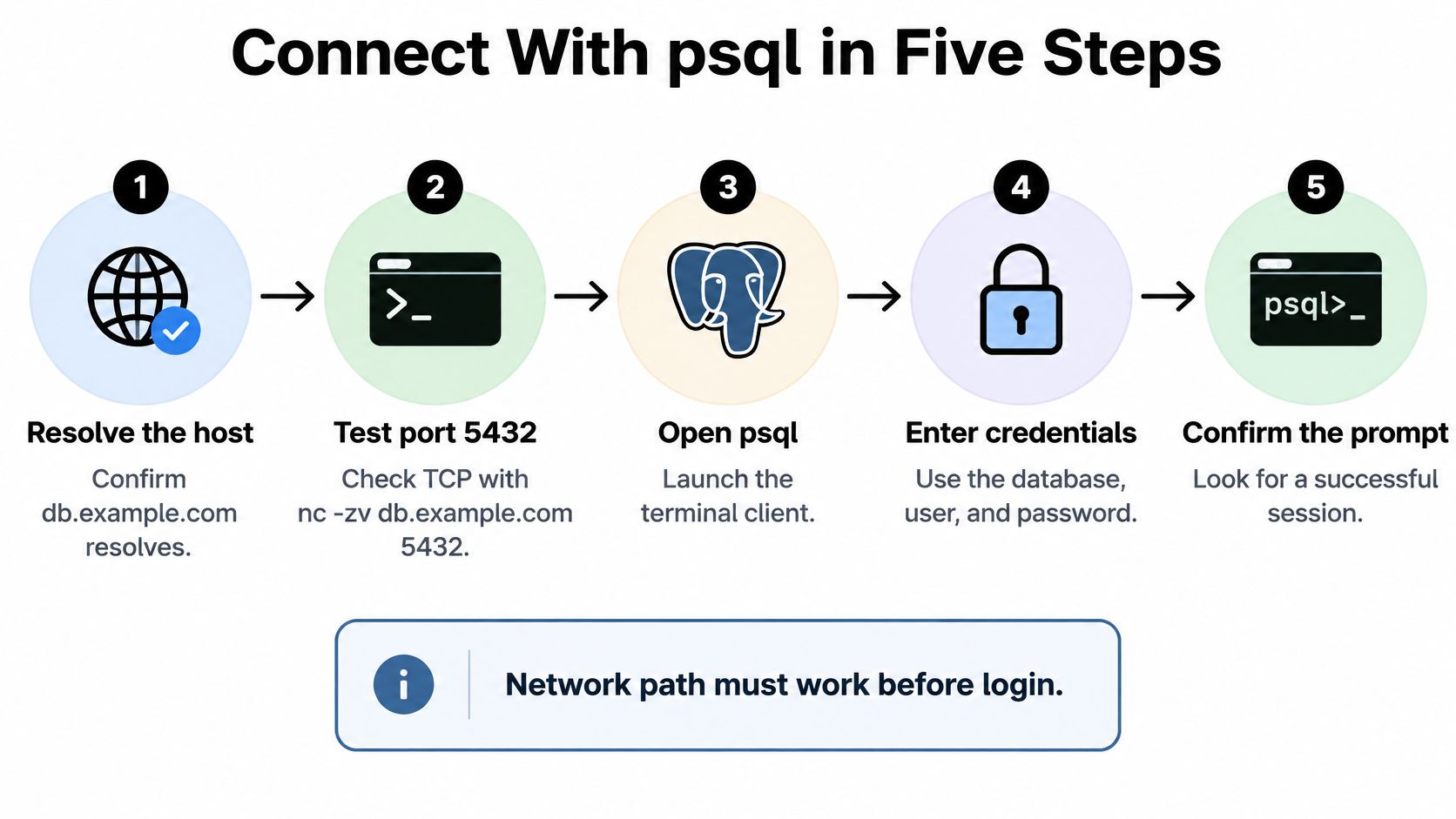
- Check the network path first. Run
nc -zv db.example.com 5432and confirm the port answers. A refusal or a timeout means the problem sits outside PostgreSQL entirely, in a security group, a firewall rule or a server that isn't listening, and no amount of password resetting will help. - Install a client.
psqlships with the PostgreSQL server package. On Debian and Ubuntu,apt install postgresql-clientgives you the binary without the server. On macOS,brew install libpqis the lighter route, and you'll want to link it onto your PATH. - Connect with the keyword form. Run
psql "host=db.example.com port=5432 dbname=orders user=app_user sslmode=require"and type the password at the prompt. Passing it inline leaves it in your shell history, which is a small leak you don't need. - Verify what you received. The
\conninfometa-command reports host, port, user, database and SSL status, so you can see whether TLS is really on rather than assuming. Then runSELECT version();to confirm the server answers queries and to catch a version mismatch early. - Stop retyping the password. Put it in
~/.pgpasswith0600permissions, one line per host and database, and scripts stop prompting. This is the step people skip, and it's why their deploy script hangs in CI waiting for input.
A working session looks like a prompt reading orders=>. If \conninfo shows SSL as off while your production policy says it shouldn't be, you've found a problem before it reached an application.
If you'd rather see what infrastructure already exists before you write a string by hand, the overview of provisioned databases gives you the host, port and database names without another console login.
Driver Syntax for Node, Python, Java, Go and .NET
The most copied line in modern JavaScript is probably this:
const pool = new Pool({ connectionString: process.env.DATABASE_URL });That shape works because node-postgres accepts a full URI and reads it once at startup. Every other stack has an equivalent, and every one of them has a specific mistake it punishes.
| Language and driver | Connection string format | Typical code call | Most common mistake |
|---|---|---|---|
| Node.js, node-postgres (pg) | postgresql://user:password@host:5432/db | new Pool({ connectionString }) | Hardcoding the URI instead of reading an environment variable |
| Python, psycopg 3 | postgresql://user:password@host:5432/db | psycopg.connect(url) | Special characters in the password not URL-encoded |
| Java, JDBC | jdbc:postgresql://host:5432/db | DriverManager.getConnection(url, props) | Using the postgresql:// scheme instead of jdbc:postgresql:// |
| Go, pgx | postgres://user:password@host:5432/db?sslmode=verify-full | pgx.Connect(ctx, url) | Omitting sslmode and silently relying on defaults |
| .NET, Npgsql | Host=host;Port=5432;Database=db;Username=user;Password=... | new NpgsqlConnection(connString) | Writing a URI where keyword-value pairs are expected |
Python has the sneakiest failure of the group. A password containing @, : or / breaks URI parsing, and the error you get is about an unknown host, not the password. URL-encode it or use the keyword form. Java's mistake is mechanical: the driver won't parse a postgresql:// prefix, and the exception mentions no suitable driver, which sends people looking for a missing JAR. In Go, pgx will happily attempt a connection with weaker TLS than you intended if sslmode isn't stated, so state it. Npgsql expects semicolon-separated pairs, and pasting a URI there produces a parse error on the first token.
One variable per environment
Keep the full string in a single environment variable, named the same way in local, CI and production, and let the value differ. The code never changes, and you eliminate the class of bug where a hardcoded development host reaches production.
Then prove it from inside the language before you deploy. Each driver has a one-line check: pool.query('SELECT 1') in node-postgres, cursor.execute('SELECT 1') in psycopg, db.Ping() in pgx, ExecuteScalar in Npgsql, and a trivial SELECT 1 statement in JDBC. If that line fails, no amount of application logic will save you.
Authorization Rules and Errors That Block Connections
A reachable server is not an authorized one. This is the assumption that costs people whole afternoons: the port answers, nc succeeds, the container can route to the host, and the login still fails because PostgreSQL never intended to let that client in.
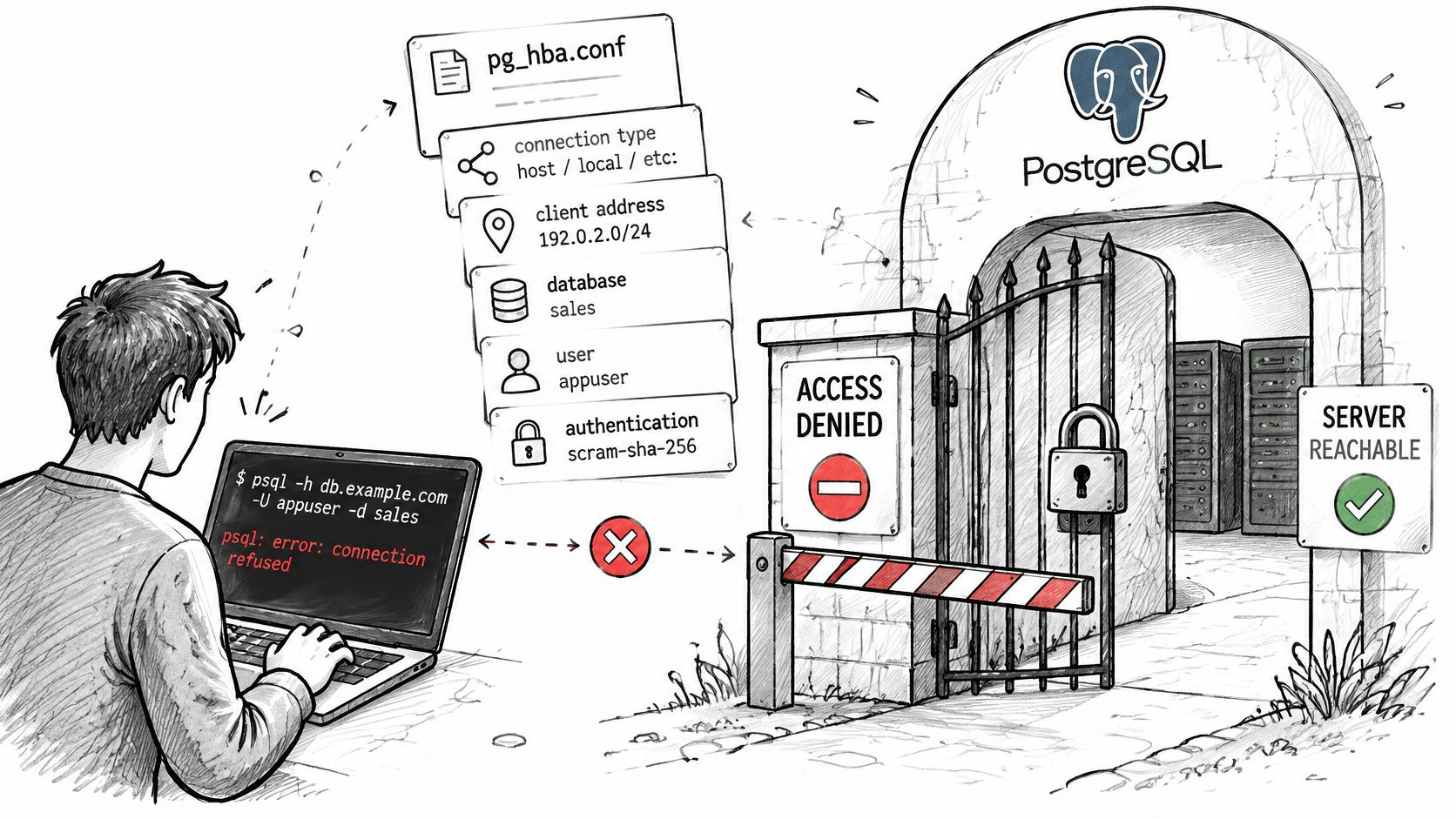
The gatekeeper is pg_hba.conf, whose name means host-based authentication. Each rule names a connection type, a client address or range, a database, a user and an authentication method. The PostgreSQL host-based authentication documentation is explicit that the server reads rules in order and applies the first one matching the connection type, client address, database and user, with no fallback to later rules if authentication then fails. No match at all means the connection is denied.
A line like host orders app_user <app-subnet> scram-sha-256 says: TCP connections from the CIDR block your app servers occupy, to the orders database, as app_user, must present a SCRAM password. The trust method, which the same page documents, admits a matching connection without checking a password at all, so confine it to local sockets.
A password failure inside a matched rule is final. The server doesn't try the next line, so a permissive rule further down the file will never rescue you.
Errors mapped to causes
Read the message, then work up the stack. Network errors appear first, authorization errors last.
| Error message | Likely cause | Fix |
|---|---|---|
could not connect to server: Connection refused | Server not listening on that address or port | Check listen_addresses and port in postgresql.conf, then restart |
could not connect to server: Connection timed out | Firewall or security group blocks port 5432 | Allow port 5432 from the client's IP range |
no pg_hba.conf entry for host | No rule matches the client address, database or user | Add a matching host line and run SELECT pg_reload_conf(); |
FATAL: password authentication failed for user | Wrong password or method mismatch | Reset the role password and confirm the rule's auth method |
FATAL: database "orders" does not exist | Database name typo or wrong server | List databases with \l and correct dbname |
ERROR: permission denied for table | Role lacks grants on the table | Grant SELECT, INSERT or UPDATE to the role |
After editing pg_hba.conf, run SELECT pg_reload_conf(); as a superuser. The file isn't re-read automatically, and a reload that never happened looks exactly like a rule you wrote wrong.
The final layer is the role itself: successful authentication still leaves you with whatever privileges app_user holds, which may be nothing on the tables you need. Grant CONNECT on the database and the specific table privileges the application uses. Least privilege is worth the extra minute here, and when several machines or autonomous agents share a project database, scoped credentials plus a way to revoke them matters more than convenience. Managing database access covers how roles and access are set up in practice.
Pool Connections Before Your App Scales
One connection per request is fine on your laptop and dangerous in production. PostgreSQL commonly runs a separate server-side backend process for each client connection, so the arithmetic is unforgiving: eight application replicas, each with an unbounded pool of ten, is eighty sessions before traffic even gets interesting. Add a few background workers and serverless functions that each open their own session, and the database spends more time authenticating, negotiating TLS and managing processes than executing queries.
That cost is measurable. A benchmark summarized in this study of PostgreSQL connection pooling reported that, at 1,250 concurrent users, a tuned pgBouncer pool of 200 connections reduced CPU utilization from 89% to 62% and raised throughput from 3,852 to 5,741 queries per second. Those numbers are workload-specific, not a promise for your schema, but the direction is consistent enough that pooling deserves a load test rather than an argument.
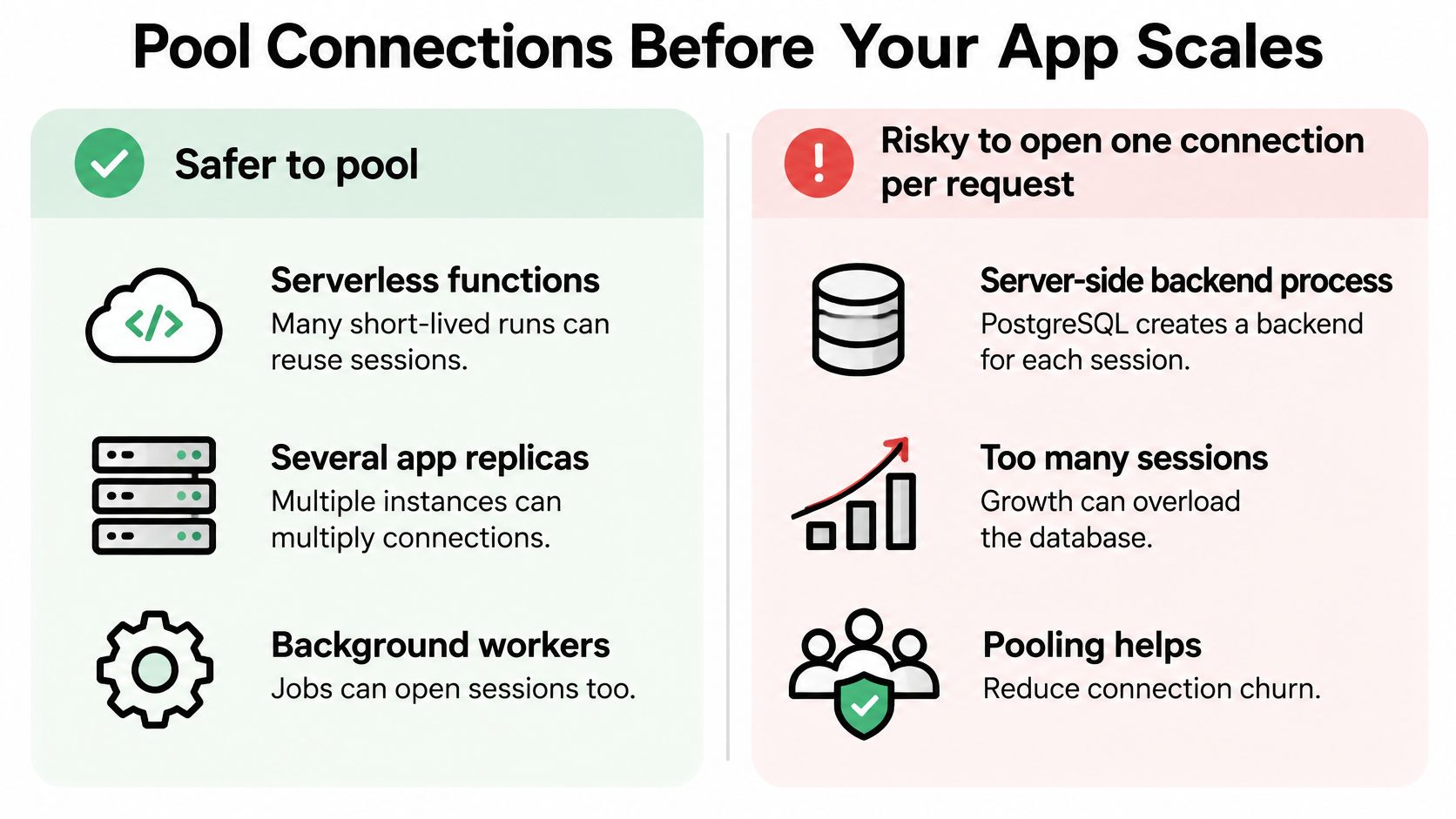
Pick the pool ceiling from database capacity, not user count, and reserve headroom for administrative sessions. Set idle and queue timeouts so a leaked client can't hold a slot indefinitely. Then be honest about what pooling costs.
- Session pooling behaves like a direct connection and keeps
SETvalues, session-level prepared statements, temporary tables and advisory locks working. - Transaction pooling gives up all of that, because consecutive statements can land on different backends.
- Provider-managed pooling is now a first-class offering: Google Cloud's release notes record managed connection pooling reaching general availability in September 2025 with IAM authentication support.
Do the math before the incident: replica count multiplied by pool size must stay under the server's connection limit, with room left for migrations and an operator with
psql.
Watch active, idle and waiting connections, and cap retries with exponential backoff so a restart doesn't turn into a connection storm. How the pool sits alongside retries, health checks and request timeouts is part of the wider work of backend application development, and it's usually the first thing to inspect when latency climbs. Pooling relieves connection pressure only. It won't fix a missing index, a lock held too long or a slow query, and the backend work for those is still shared by fewer sessions.
Verify From Your Production Host
A successful connection from your laptop proves your laptop works. Run the same test from the machine, container or network that will host the application, and treat the following as the pre-deploy checklist.
- Run
SELECT 1through the live driver and pool, with the live connection string, from the production host. Notpsqlfrom your desk, and not a locally overridden environment file. - Confirm
sslmodeisverify-fulland that the password is read from a secret store rather than a file sitting in the repository. - Trigger one deliberate failure. Point the staging connection string at a wrong password and record the exact error text your logs and alerts will receive. An on-call engineer who has seen the string before recognizes it in seconds; one who hasn't starts resetting passwords.
- Recheck the pool arithmetic. Replicas times pool size, under the connection limit, with headroom.
- Confirm the authorization chain: a
pg_hba.confrule covering the production address range,CONNECTon the database, the table grants the app needs, and a reload that ran.
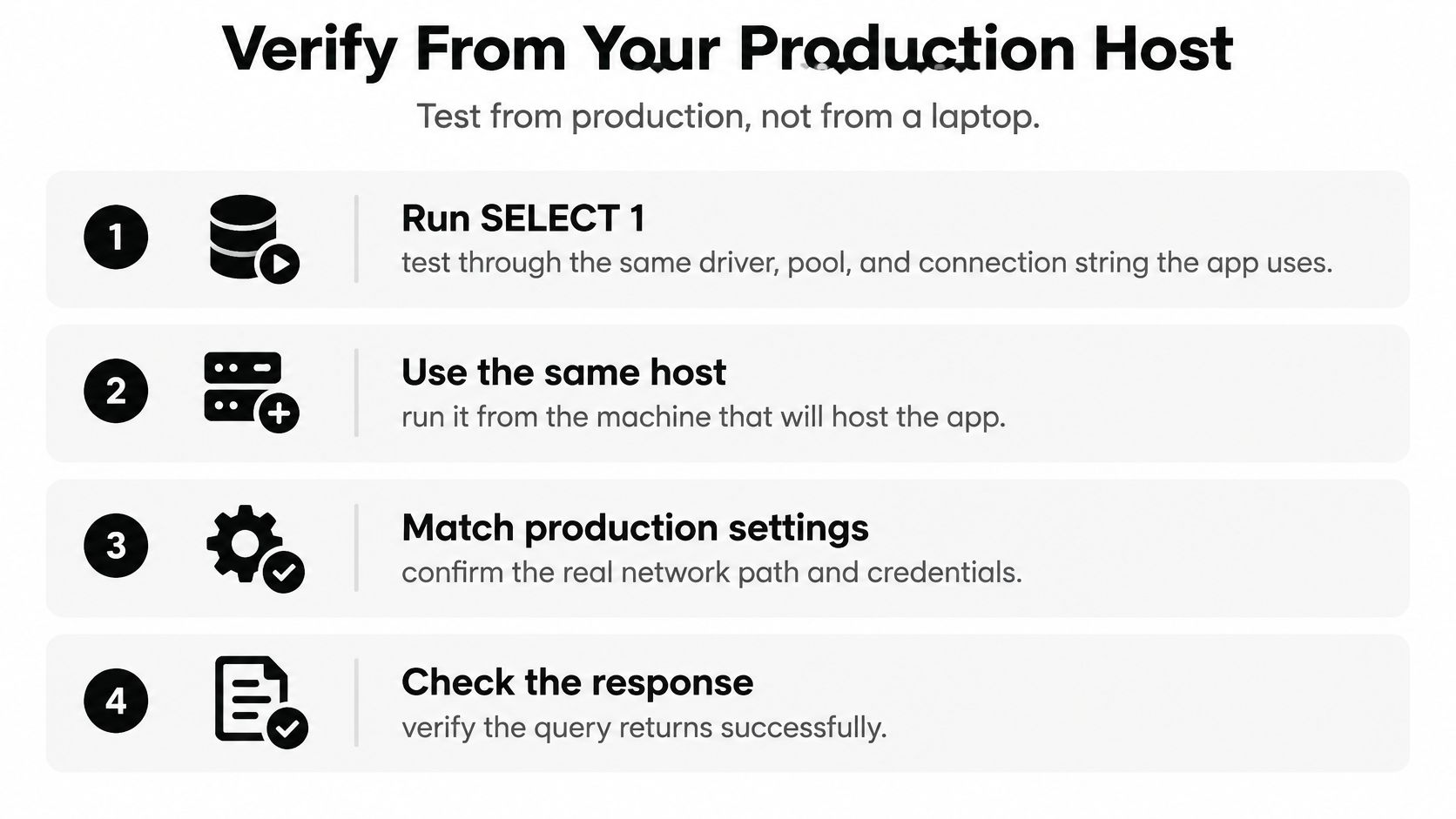
Write the outcome into the team runbook: which connection method you use, which rule allows it, and when the credential was last rotated. Provisioning tooling helps here, since ExtraOrbital creates the database and its credentials, then writes the connection details into .env or an existing .env.local in the project, so the string your app reads is the string that was provisioned. A new service then follows a documented path instead of improvising one at 2am.
The hours lost to a PostgreSQL connection almost never go to the database itself. They go to an unverified host, a pg_hba.conf file nobody reloaded, or a role missing one grant. ExtraOrbital takes that setup off your plate: one command provisions a Postgres database with credentials scoped to the project, and the connection details land in the .env file your driver already reads, so the first SELECT 1 is a check rather than a hunt. Visit ExtraOrbital to provision a database and start from a string that works.