Secrets AI App Keys: Storage, Access and Rotation Guide
Learn how to store, scope and rotate secrets AI app keys, from API keys to webhook secrets, with a clear map of where each one belongs.
You opened the repo after a late demo and the model provider key is sitting in a file the coding agent just wrote. That key is not a style problem. It is a billing switch and a data-access switch. Anyone who copies it can run inference on your account and, on many providers, read logs, files, or fine-tuning data tied to the same credential. A leaked database password is bad. A leaked model key can drain the card overnight and pull customer prompts out of the same project.
I would start with the cheapest fix: get that value off the laptop and out of the bundle before you add another feature. The rest of this guide is the map I use when I clean this up. Each secret has one home. The browser never holds a credential. Every machine and agent gets its own scoped key. Rotation happens before you revoke the old one. And when a vendor, including a Secrets AI app that stores intimate chats, claims it "encrypts everything," you read the policy the same way you read a cloud IAM grant.
Where Each Secret Belongs in Your AI App
Say a founder builds a chat prototype over a weekend. The demo needs a reply, so the model key goes into a frontend file, the build ships, and a scraper finds the string in the public bundle. The bill starts climbing before anyone notices the commit. That failure is not mysterious. Each secret has one correct home, and the wrong home is almost always the client.
| Secret | Example | Where it should live | Who reads it at runtime |
|---|---|---|---|
| Model provider API key | OPENAI_API_KEY | Server-side env var or secret store | Backend services only |
| Database connection string | DATABASE_URL | Server-side secret store | Backend services only |
| JWT or session signing secret | JWT_SECRET | Server-side env, generated locally | Backend services only |
| Webhook signing secret | STRIPE_WEBHOOK_SECRET | Server-side secret store | Webhook handler only |
| OAuth client secret | GITHUB_CLIENT_SECRET | Server-side secret store | Auth server only |
| Object storage access key | S3 access key pair | Server-side, scoped to one bucket | Backend jobs only |
| Public client identifier | NEXT_PUBLIC_APP_ID | Client bundle, acceptable | Browser (not a secret) |
Two rows cause most of the confusion.
Model provider API key. OPENAI_API_KEY (or the equivalent from Anthropic, Google, or a gateway) is read only by backend services. The browser sends the user's message to your route. Your server attaches the key, calls the model, and returns the reply. If that key can also list files or spend against a shared org, treat it as production access, not as a demo convenience.
Public client identifier. NEXT_PUBLIC_APP_ID is allowed in the bundle. It names your app. It does not authenticate anything valuable. Teams waste days "protecting" app IDs and publishable keys while the actual credential sits in the same object. Stop treating every variable as equally dangerous. Split them.
The other five follow the same split. DATABASE_URL stays in a server-side store and is read by backend services only. JWT_SECRET is generated on the machine that signs sessions, never typed as a memorable phrase, and never shipped to the browser. STRIPE_WEBHOOK_SECRET is read only by the webhook handler, because a broader service does not need to verify Stripe signatures. GITHUB_CLIENT_SECRET belongs to the auth server alone. An S3 access key pair is scoped to one bucket and read by the jobs that upload or fetch objects, not by the web process that renders pages.
Five-minute inventory
Open the project's env file and mark every name secret or public. Then search the client directory for each secret name. A secret row in client code is a leak, even if the value looks like a placeholder. Public identifiers can stay. Everything else moves server-side before the next push.
Practical rule: If revoking the value would stop a bill, a login, or a data read, the browser does not get a copy.
Why Browser Code Exposes Every Secret
A secret in browser code is a key left in a glass display case. Every visitor can look. A secret on your server is a key in a safe that only the staff who run that process can open. The display case is not a metaphor for "someone might view source." The build step copies the value into files the browser downloads.
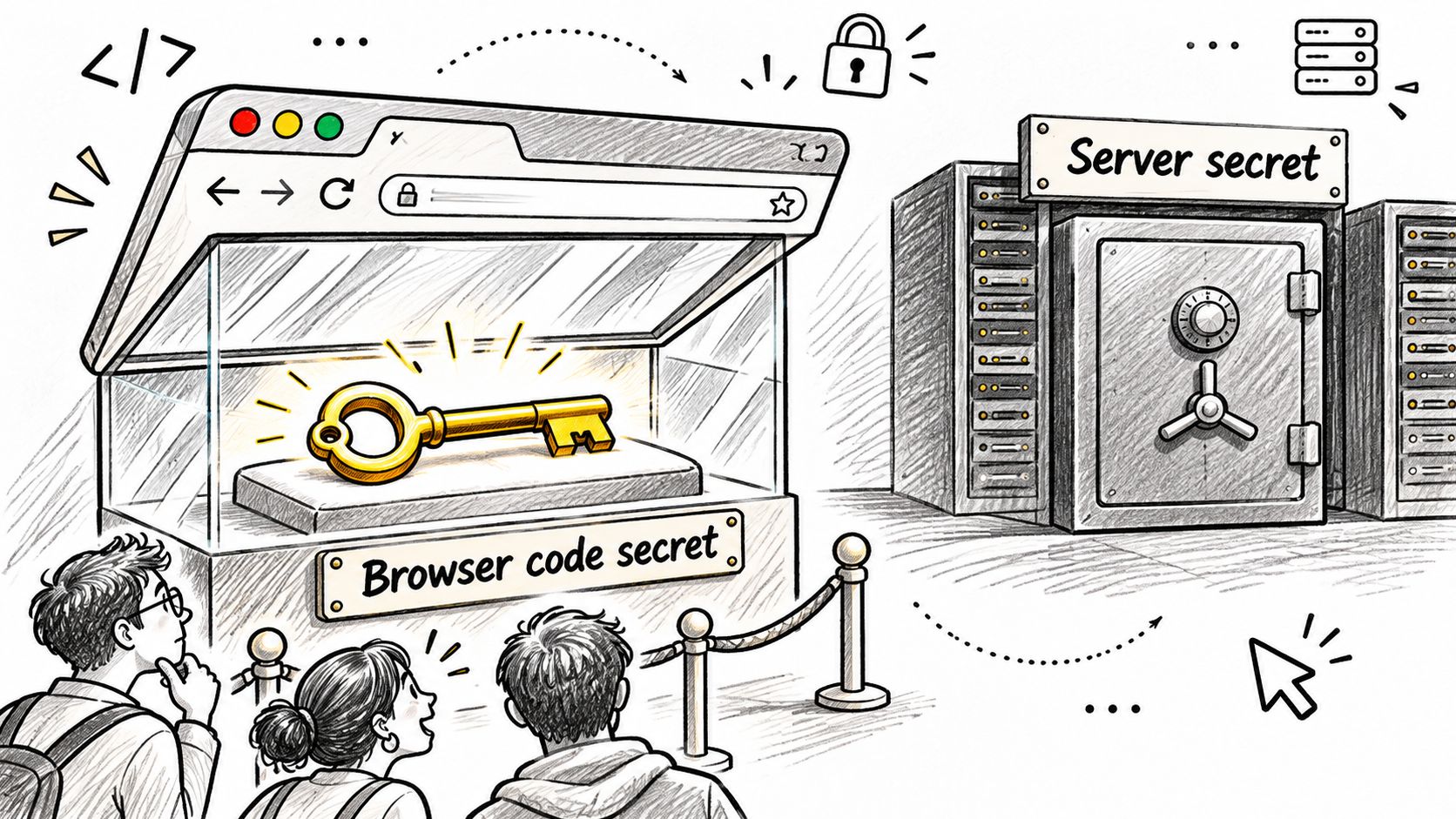
Bundlers inline environment variables that the framework has marked for the client. In Next.js, a NEXT_PUBLIC_ prefix means "put this in the JavaScript visitors download." Vite uses VITE_. Create React App used REACT_APP_. The prefix is a publish switch, not a namespace. I have seen teams rename OPENAI_API_KEY to NEXT_PUBLIC_OPENAI_API_KEY because the chat component threw "key missing," then ship that build to a preview URL. The key is then in the chunk, the source map, and any CDN cache of that chunk.
The route that should hold the key
A chat widget should post the user's text to your own /api/chat route. That route reads the model key from the server environment, calls the provider, and returns only the assistant text (and any usage fields you choose to show). The browser never sees the Authorization header you send upstream. If the widget "needs" the key to call the provider directly, the design is wrong, not the framework.
Other browser paths leak the same value without a committed file:
- Request headers in developer tools. If the page calls the provider from the client, the key is in the Network panel for anyone using the app, including a browser extension.
- Source maps. A map uploaded with the bundle reconstructs the original module, including the line that embedded the key.
- Error pages. A stack trace or a debug JSON dump that prints
process.envhands the value to whoever can trigger the error.
Check the build output
Build the app the way production builds it. Search the output files for the first several characters of the key. Any match is a leak, including inside a minified string or a source map. Delete the preview deployment after you fix it, because the old bundle can outlive the commit.
The rule is one sentence. The browser asks your server for work, and only your server holds credentials.
How to Store Secrets Safely in Every Environment
Storage fails in a predictable order. Someone commits a real env file, types a passphrase instead of random bytes, pastes a provider secret into Slack, then copies production into a test box. Fix the order, not the slogan.
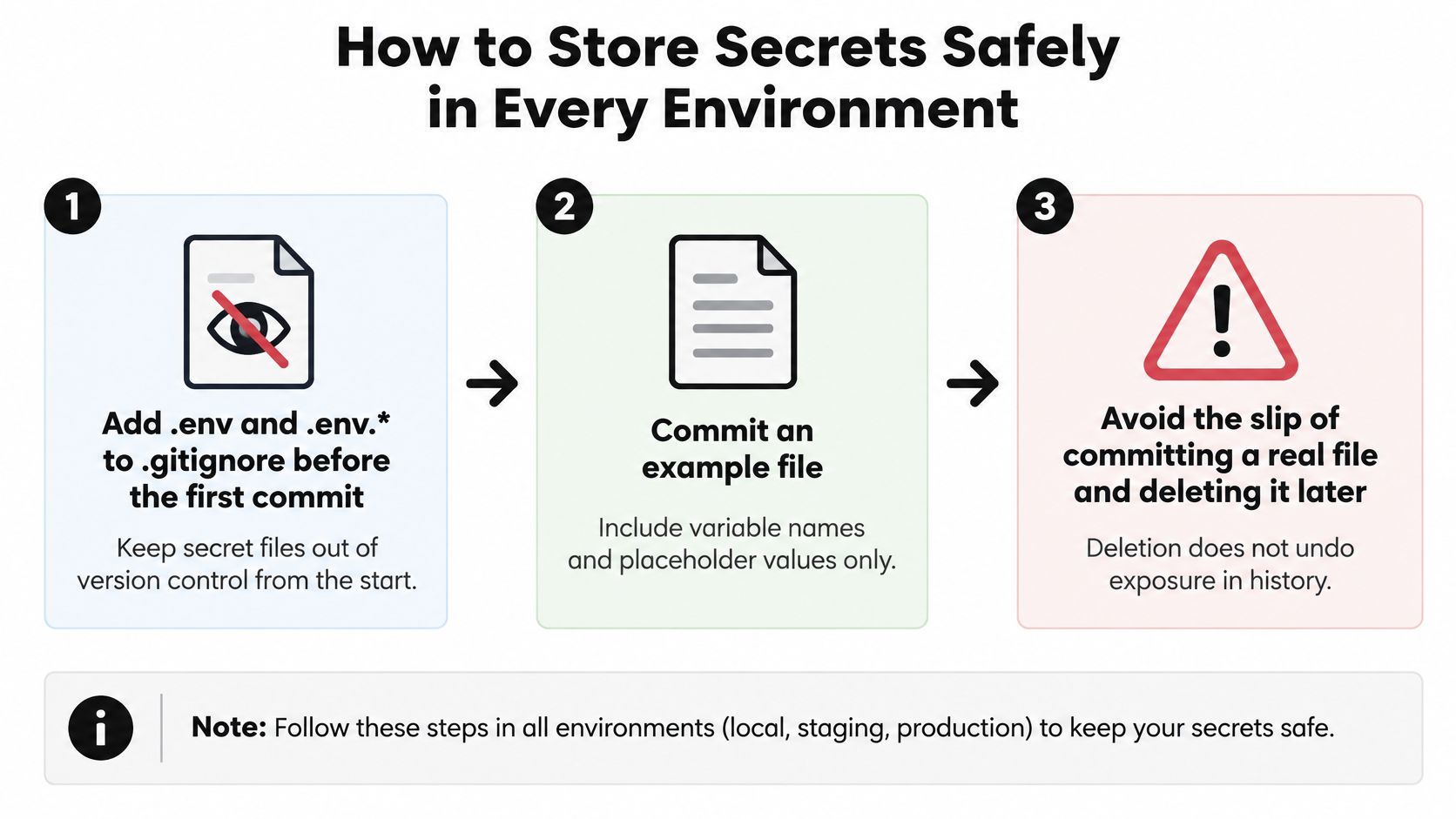
Six steps and the slip that undoes each one
Ignore secret files before the first commit. Add
.envand.env.*to.gitignore, with a negation for the example file if your pattern would hide it. Commit an example that holds names and placeholders only, such asOPENAI_API_KEY=replace-me. The slip is committing the actual file and deleting it in the next commit. Git history still has the value, and scrapers read history.Generate internal secrets locally. Values you invent, such as
JWT_SECRET, should come from a cryptographic random generator producing at least 32 bytes of output. These values never need a hosted resource behind them, so they can be created entirely on your own machine. A provisioning tool can generate detected local secrets with no network and no account, which keeps the value off every wire. The slip is typing a memorable phrase.jwt-secret-prodstops being a secret the day someone says it in a standup.Copy provider-issued values straight from the dashboard into the store.
STRIPE_WEBHOOK_SECRETandGITHUB_CLIENT_SECRETare issued by the provider, and no generator on your laptop can invent Stripe's signing secret. The slip is pasting them into chat, tickets, or an agent transcript that gets synced to a vendor. A pasted model key doubles as a billing credential: whoever holds it can run spend against your account until you revoke it.Keep separate sets for development, staging, and production. A leaked development key must not reach customer rows or the production model project. The slip is copying the production file onto a test laptop "just for the weekend." That laptop is now a production credential store with none of the production controls.
Load production from a managed store or the platform's encrypted environment settings. Do not leave a
.envon the server disk as the system of record, and do not keep a backup copy in a shared drive. The slip is "the platform has it, and so does this folder, and so does the old VM."Scan the repository and its full history before the first push. Enable push protection if your git host offers it. The slip is scanning only the current tree. The leaked key is in commit three, which a scanner of
HEADwill never see.
One store per value
After the six steps, name the single store for every secret row. If you cannot name it, you have a copy you forgot. A second copy in a note, a CI variable, and a server file means you cannot rotate cleanly, because you will miss one. Rotation is where stray copies hurt most: the forgotten copy keeps the old value alive while you believe the leak is closed. An inventory of where each secret lives matters more than the encryption on any single store.
Deleting a file from the working tree does not delete it from history, forks, or the build cache.
Limiting Access With Scoped Credentials
A hotel keycard that opens one room is a nuisance when it is lost. A master key that opens every room is an incident. The blast radius is the card you issued, not the fact that plastic can be stolen. Credentials work the same way. A model key that can call one project is a contained leak. An account admin token is a full takeover of billing and data.
| Scope level | Example | Blast radius if leaked |
|---|---|---|
| Personal development key | Local key for one developer on one project | One project on one machine |
| Project-scoped key | Key limited to one project | That project only; other projects return 403 |
| Team-scoped key | Key limited to one team | Every project inside that team |
| Machine or agent credential | Credential tied to one CI runner or coding agent | That machine's resources until it is revoked |
| Account-wide admin token | Full access token for the account | Everything the account controls |
What a narrow key actually stops
A project-scoped key used against a different project should fail closed. API keys that start with eo_live_ are scoped to one team and optionally one project, and a project-scoped key gets 403 for any other project. That 403 is the whole point. The leaked string still works somewhere, but it cannot walk into the neighboring app, the staging database, or the production bucket. Each resource gets its own credential for the app, and we do not keep a copy of it, so there is no shared password sitting in our control plane for an attacker to collect later. The same pattern applies when you create database access for an app. One database, one credential, one place to revoke.
Machine and agent credentials are the row teams skip. A CI runner and a coding agent should not inherit a developer's personal key or a shared OPENAI_API_KEY from a team wiki. Give the runner its own credential. If that runner is compromised, or if the agent writes the value into a log, you revoke that one credential. The rest of the team keeps working. An account-wide admin token in an agent prompt is the master keycard taped to the front desk.
The cost of narrow scope
Narrower scopes mean more keys to name, store, and retire. That bookkeeping is real. Without a naming convention (proj-chat-ci-01, agent-laptop-sam) and a short inventory of who can read each value in the dashboard, people collapse back to one shared password because it is easier to paste. I would rather track twenty keys than explain one org-wide leak.
For each secret, ask two questions. Who can read the value in the dashboard today? Which single service would break if you revoked it tonight? If the answer to the second question is "everything," the scope is too wide.
Rotating Secrets and Responding to Leaks
Rotation is a sequence, not a panic button. Revoke too early and you take production down. Revoke too late and the old key keeps spending. The trigger decides the clock.
| Trigger | Urgency | Action |
|---|---|---|
| Suspected leak in git history, logs or chat | Within the hour | Revoke, issue a new secret, redeploy and audit recent usage |
| Provider breach notice | Immediately | Rotate every key the provider reports as affected |
| Contributor or contractor offboarding | Same day | Revoke their personal keys and machine credentials |
| Decommissioned CI runner or agent | Same day | Revoke the machine credential and confirm nothing still calls with it |
| Scheduled rotation of high-value keys | Every 90 days | Overlap old and new keys, then retire the old one |
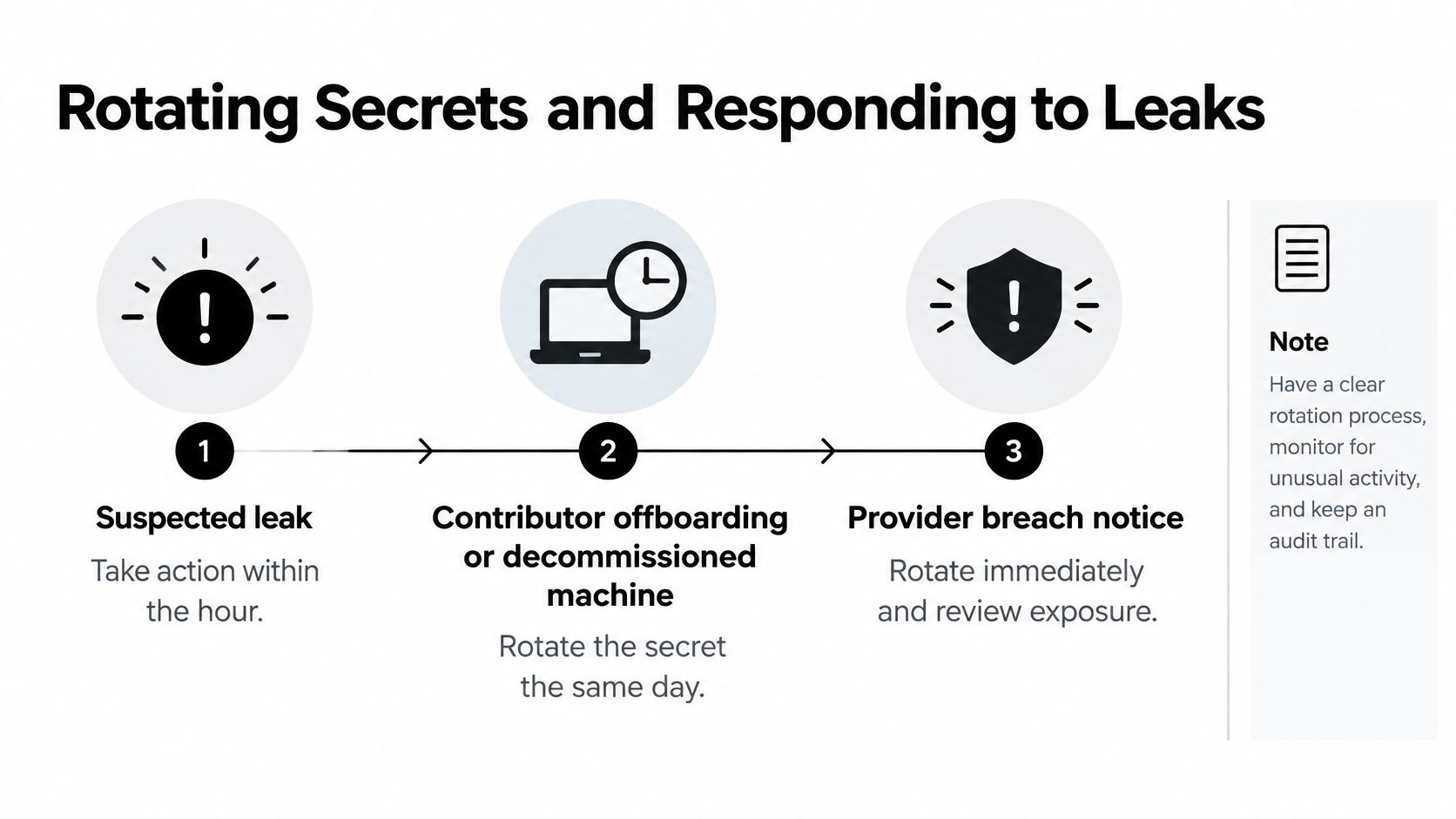
A suspected leak in git, logs, or chat is an hour-scale job because automated harvesting does not wait for your standup. A provider breach notice means you rotate every key that provider says is affected, not only the one you remember using. Offboarding and a dead CI runner are same-day work. High-value keys, especially model keys and database URLs, go on a 90-day calendar so you practice the overlap while nobody is on fire.
Five phases, deploy before revoke
- Create the new key at the provider while the old key stays active. Do not disable the old one in this step.
- Store the new value as a new version in the secret store. A sensitive resource's new secret stays out of the
.envfile during rotation unless--write-envis passed, so a casual write does not drop the new value into a file the agent might commit. - Deploy so the app reads the new value. If the service can accept two keys for a short window, use that dual acceptance for webhooks and session signing.
- Watch usage until traffic shows only the new key. Billing dashboards and provider logs are the evidence, not a guess.
- Revoke the old key and record who did it and when. Each machine gets credentials scoped to it and each resource, an immutable audit trail records every operation, and a machine can be revoked or a project's secrets rotated in a click. Users can revoke a connected app under Team settings → Connected apps, which stops the app's credentials from working while the resources stay with the user.
The most common failure is step 5 before step 3. Production calls the old key, the provider returns 401, and the chat feature is down while you scramble. Overlap is not laziness. It is how you keep the app up.
Five leak shapes, same first move
Work them in the order they show up.
- Public repository. The key is in a commit. Revoke first. History rewrite is follow-up, not the fix. Removal from
HEADleaves the credential valid. - Ticket or chat paste. Someone dropped
STRIPE_WEBHOOK_SECRETinto a support thread or an agent session. Revoke, then purge the thread if the tool allows it. - Logged authorization header. A debug middleware printed the upstream request. Revoke, then fix the logger so headers are redacted.
- Forgotten prototype machine. An old VM or agent sandbox still holds a live key. Revoke the machine credential and confirm later calls fail.
- Webhook secret on a misconfigured endpoint. The signing secret was echoed in an error body. Revoke at the provider and issue a new signing secret before you reopen the route.
In every case the first action is revocation, not deletion. Deleting the file does not stop a key that was copied minutes ago. After revocation, check usage and billing for unfamiliar calls, strip the value from history and logs, and confirm the replacement works on a real request.
Write these steps down before an incident. A runbook you invent during the leak will skip the usage check, and that is how a second copy keeps spending.
Checking How an AI App Handles Your Data
People who search for a Secrets AI app are often looking at the companion product, not at developer key hygiene. Judge it with the same questions you would use on a model vendor. Marketing says "encrypted." That word covers three different protections, and only one of them keeps the operator from reading you.
| Protection | What it covers | What it does not cover |
|---|---|---|
| Transport encryption | Data moving between app and server | Data stored on the server |
| Encryption at rest | Stored data on disks or in databases | Whether the operator holds the key to read it |
| End-to-end encryption | Only the user's devices hold the keys | Server-side models that must read plaintext to respond |
Transport encryption stops a network observer. It does nothing once the bytes are on the server. Encryption at rest protects disks and backups from someone who steals hardware, unless the operator also holds the key, which is the normal case for an app that has to generate replies. End-to-end encryption means only your devices hold the keys. A model that must read the prompt to answer cannot be end-to-end encrypted for that prompt. Those are different products.
The Secrets AI security documentation describes a layered design. It uses Libsodium, encrypts user data with a 256-bit symmetric key, and protects that key with an elliptic-curve key pair stored in Apple's Keychain. Content objects use XSalsa20-Poly1305. File attachments use XChaCha20-Poly1305. Biometrics or a password can gate the device-held key. That is a real client-side design, and it reduces what a database-only theft exposes. It is not, by itself, proof that every server feature stays blind.
Independent coverage makes the distinction sharper. A Secrets AI review reports that the privacy policy specifies encryption at rest and in transit rather than true end-to-end encryption, that chats may be used to train or improve models, and that flagged prompts may receive human review. The Secrets AI privacy policy identifies messages, companions, memories, and generated photos as data processed to run conversations, and it says call audio is transcribed live and not retained while transcripts may be stored as text. A safety write-up of the same product notes that chat history, character settings, generated images, generated video, and payment metadata are in scope, with call transcripts kept for memory. The DatingFile review also describes the service as a web application, not a native listing in the Apple App Store or Google Play, so a similarly named "Secret AI" app is a different product and should not be treated as the same adoption or the same policy.
No public breach write-up would make those retention questions go away. A clean incident list does not mean the operator cannot read stored chats, or that a legal request cannot reach them.
Questions to ask before you paste anything intimate
Ask any AI app, companion or model API, the same four things. Can the operator technically read my conversations? Which fields are retained after I delete a chat? Which content is used for moderation or training? What happens to my voice, likeness, and generated media after a conversation, an account deletion, a moderation flag, or a training run? Then ask whether you can export, revoke, or selectively delete transcripts and identifying media, not only the visible thread. Video and photos can carry faces and locations. A transcript can outlive the audio. If the policy cannot answer those in plain language, do not put real people's likenesses or private facts into the prompt. Developers picking a model vendor should ask the identical questions about prompt logging and training use before they send customer text upstream.
Confirm Your Secrets Plan Before You Ship
Shipping with a shared key "until we have users" is how the first user becomes an invoice you did not expect. Tick these before the next feature, not after the leak.
- Client and history are clean. No secret string appears in the client bundle or in repository history.
- Env files are ignored.
.envis gitignored and an example file with placeholders is what you commit. - Environments are split. Development, staging, and production each have their own secret set.
- Scope is per service and machine. Each app, runner, and agent has its own credential, not a shared admin token.
- Rotation has a date. Every high-value key has a named owner and a next rotation date.
- Revoke has been tested. You have revoked a non-production key and watched the caller fail, then recovered with the new value.
- CI scans secrets. A scanner runs on pull requests and on history, with push protection where the host supports it.
- Incidents have a person. A named owner can revoke, redeploy, and check billing without hunting for access.
What to do in your situation
- Solo prototype. Keep keys in local env files, run a scanner before every push, and put a spending cap on the model provider. Do not create an account-wide token for a weekend demo.
- Team project. Move values into a secret store and issue scoped machine credentials for CI and agents. Personal keys stay on personal machines.
- Production with sensitive data. Add an audit trail, a rotation schedule, and a tested incident note. Confirm you can revoke one machine without blanking the whole project.
Apply that same list to any provisioning tool before you let it write credentials, including ExtraOrbital. We provision databases, AI, storage, and auth for a project with one command, and no separate provider accounts need to be created, but you should still confirm scope, rotation, and who can read the dashboard before you point a production app at it. If you are wiring this into a real backend, the notes on backend application development are the place to line the server routes up with those checks.
Run the eight checks against the project this week. Fix the first failing item before you add any new feature. A green scanner and a key still sitting in the client bundle is not a pass.
ExtraOrbital provisions the databases, storage, auth, and model access a project needs, then places scoped credentials where the app expects them, with per-machine access, an audit trail, and one-click revocation when something leaks. That is the difference between a shared key in a chat transcript and a credential you can kill without taking the rest of the team down. See how it fits your repo at ExtraOrbital.